
 @Arborsm
dsh-remember
Cross-session long-term memory plugin for DeepSeek Harness
- Stars
- 1
- Language
- TypeScript
- Created
- Sep 10, 2026
- Updated
- Sep 11, 2026
Introduction
dsh-remember


Cross-session long-term memory for the DeepSeek Harness(dsh).
While you're away, it looks back at your recent sessions and distills the useful experience into a set of plain Markdown files. Every conversation after that starts with a summary of those memories, and the model greps the originals when it needs details.
No vector database, no external service — memories are just files under ~/.dsh-memory/ that you can open, search, and manage with git.
Features
- Automatic extraction — idle sessions are scanned, redacted, and distilled in the background
- Automatic consolidation — new experience is merged incrementally; stale, never-cited entries are pruned
- Automatic recall — every prompt carries a memory summary (configurable token cap); the model searches on demand
- Readable and controllable — a sidebar status panel, a memory viewer, and a settings page; pause anytime
- Translatable — one-click translation of the memory files with incremental caching
- Portable — gzip bundle export/import with content-hash dedup
Screenshots
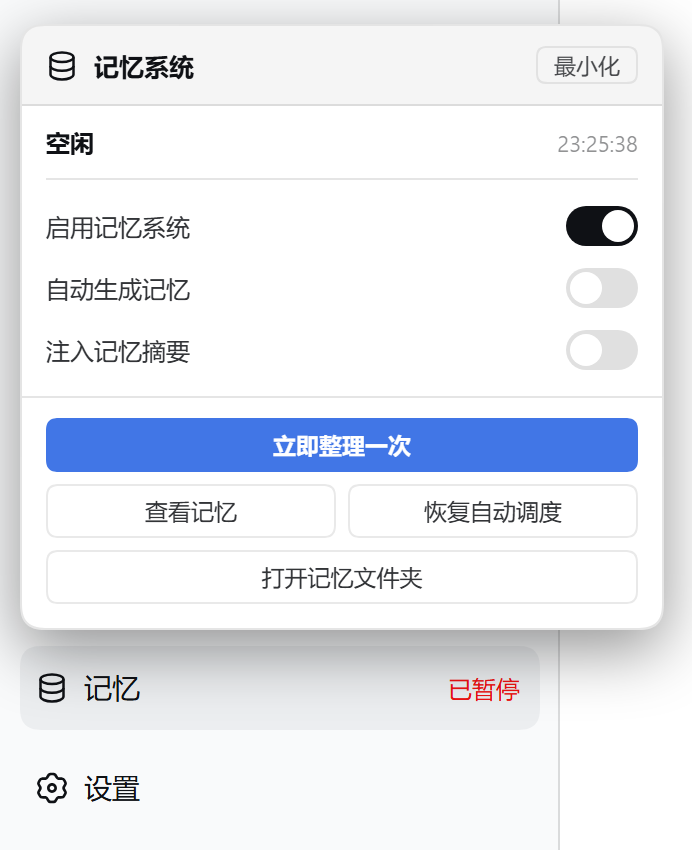
The memory entry at the bottom of the sidebar opens the status panel.
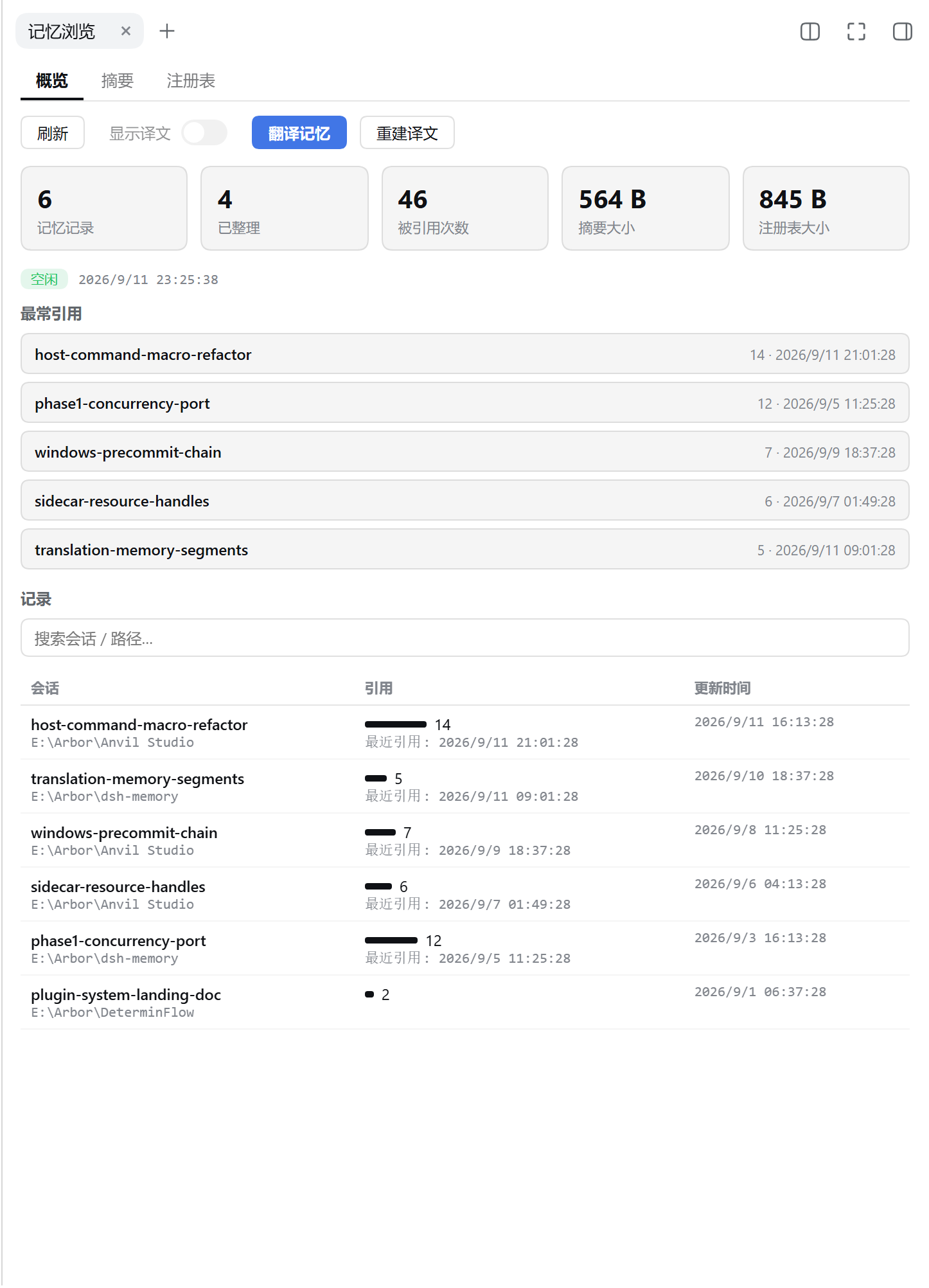
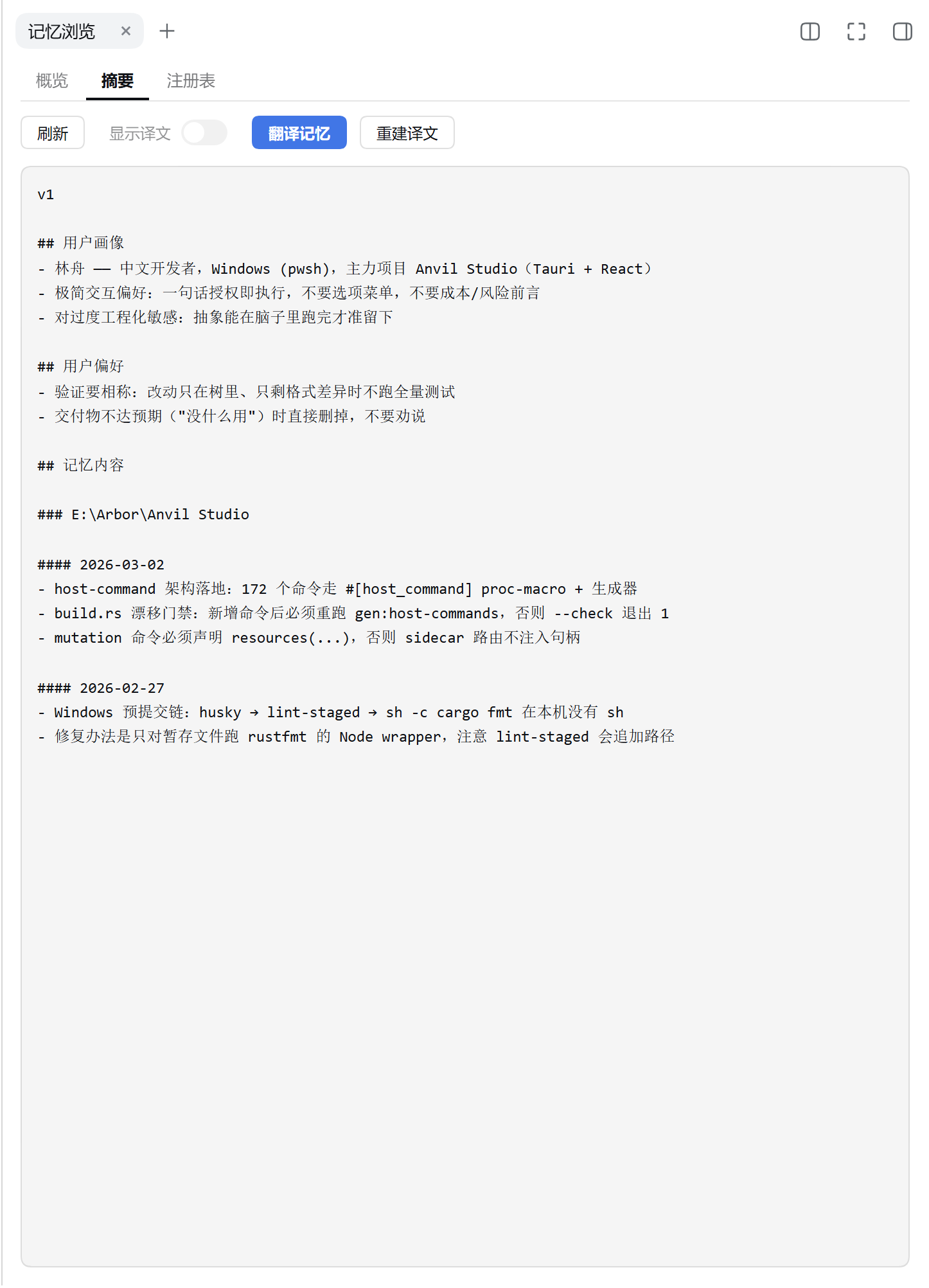
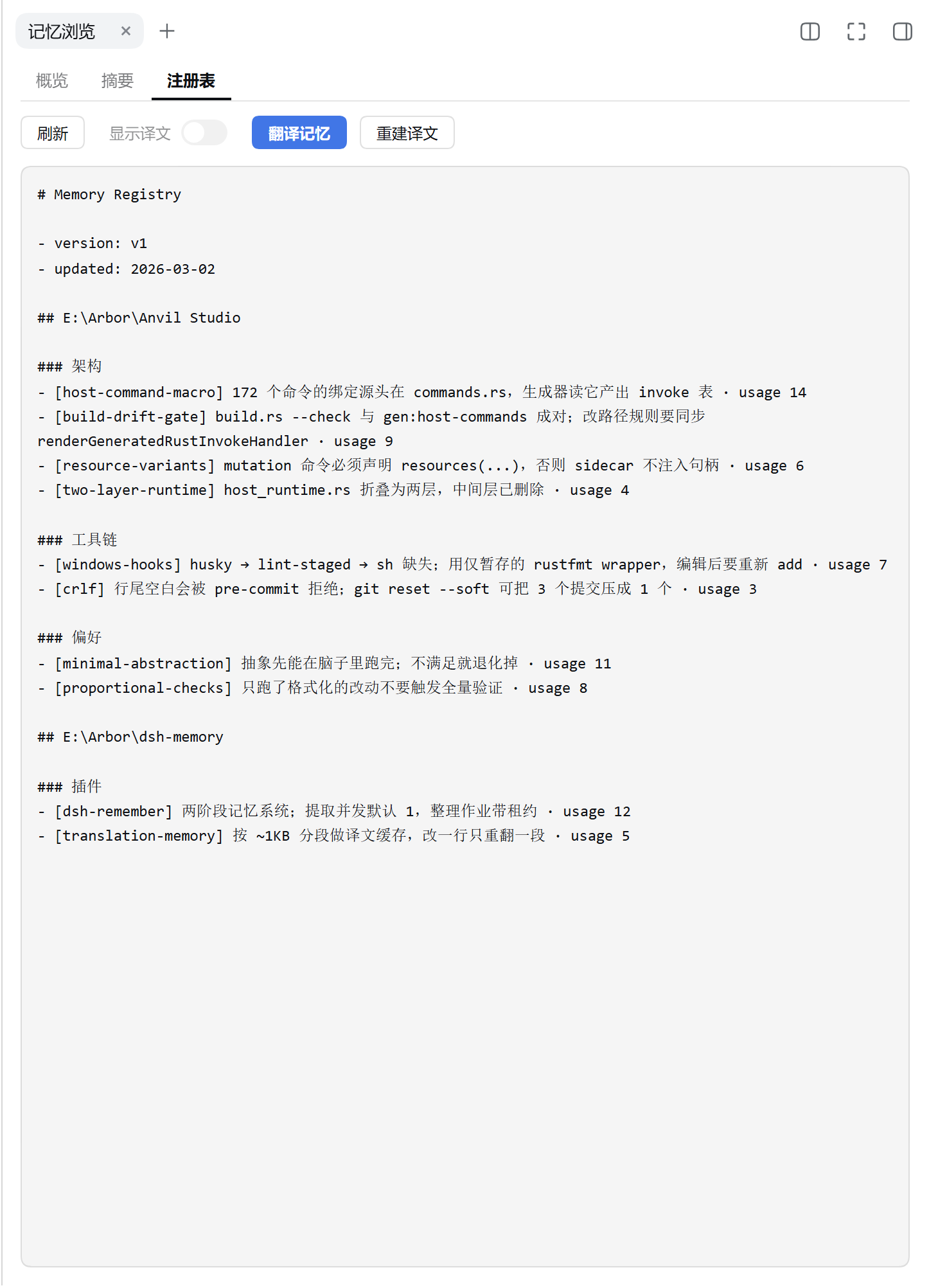
The memory viewer: overview (stats, most-cited, records), summary, and registry.
Install
From npm:
dsh plugin --profile <name> add dsh-remember
From source:
git clone https://github.com/Arborsm/dsh-remember.git
cd dsh-remember
pnpm install && pnpm build
dsh plugin --profile <name> add .
Restart dsh web after installing. During development you can skip installation and load straight from the workspace (run from the dsh checkout root):
pnpm dsh web --patch <path/to>/dsh-remember/cordis.dev.yml
Note: --patch must come before --port, otherwise commander fails with unknown option '--patch'.
Configuration
Every field has a default; the plugin works out of the box. Override via cordis.yml or the config: block of a dev overlay. Field definitions live in src/config.ts.
Commonly tuned:
| Field | Default | Description |
|---|---|---|
enabled | true | Master switch |
generateMemories | true | Run extraction and consolidation |
useMemories | true | Inject the memory summary into prompts |
extractModel / consolidationModel | '' | provider/model; empty = deployment default |
workspaceDir / dbPath | '' | Empty = under ~/.dsh-memory/ |
summaryTokenLimit | 2500 | Token cap for the injected summary |
scanIntervalMinutes | 15 | Background scan interval |
minRolloutIdleHours | 1 | Idle time before a session becomes extractable |
maxUnusedDays | 30 | Retention for never-cited memories |
There are 23 fields in total (scheduling, retries, concurrency, consolidator tool deny-list, …) — see src/config.ts. All of them are editable on the settings page.
Memory files
~/.dsh-memory/
├── memories/                  # git workspace
│   ├── MEMORY.md              # index of all memories
│   ├── memory_summary.md      # the summary injected into prompts
│   ├── rollout_summaries/     # source evidence for each memory
│   ├── skills/                # distilled skills
│   └── …                      # translations, ad-hoc notes, …
└── memories.sqlite            # extraction queue and job state
Development
pnpm build        # build (tsdown, host + browser bundles)
pnpm typecheck    # tsc --noEmit
pnpm test         # node --test
pnpm shots        # regenerate the screenshots above (fixtures + headless Chrome)
Repository layout, conventions, and debugging notes: AGENT.md.