
 @Canary-Builds
dhs-connect
DSH Connect — ChatGPT model connector for DeepSeek Harness, powered by the Codex app-server.
- Stars
- 0
- Language
- JavaScript
- Created
- Sep 5, 2026
- Updated
- Sep 25, 2026
Introduction
DSH Connect
Connect DeepSeek Harness to ChatGPT or Grok using OAuth sign-in. ChatGPT goes through the official Codex app-server, without an OpenAI API key. Grok goes through the official Grok CLI, without an xAI API key. Connect either account, or both.
DSH Connect is a community Cordis plugin with model-provider adapters and a web Settings panel. The ChatGPT provider ID is openai-codex. The Grok provider ID is xai-grok. Neither provider is tied to one model.
Install
DSH does not discover plugins by scanning node_modules. Running npm install @canary-builds/dsh-connect in your home directory downloads files into ~/node_modules and then does nothing: DSH never looks there. A package is loaded only when both of these are true:
- It is installed inside the profile workspace,
~/.dsh/profiles/<name>(for the browser UI,~/.dsh/profiles/web). - Its package name is listed in that profile's
package.jsonunderdsh.profile.bundles.
A dependency that is installed but missing from bundles stays invisible. DSH does not scan dependencies and turn them into plugins.
Install with the profile command. It runs the package manager inside the profile and appends this package to bundles:
dsh plugin --profile web add @canary-builds/dsh-connect
Use --profile headless for the CLI profile. To pin this release after it is published, use @canary-builds/dsh-connect@0.4.0. No npm account or plugin build step is required to install the public package.
If dsh plugin is unavailable, do both steps yourself. Do not remove the bundles already in the file (@deepseek-ai/dsh-base, @deepseek-ai/dsh-web-app, and any others):
cd ~/.dsh/profiles/web
npm install @canary-builds/dsh-connect
"dsh": { "profile": { "bundles": ["@deepseek-ai/dsh-base", "@deepseek-ai/dsh-web-app", "@canary-builds/dsh-connect"] } }
Restart the process that serves that profile, then refresh the browser. For a user service that is systemctl --user restart dsh-web. Open Settings → DSH Connect, sign in, and pick a model from the normal model picker. Install only the profiles you use. A pnpm workspace-root profile may require its existing ignoreWorkspaceRootCheck setting or the package-manager workspace-root option.
DSH Mobile UI is a separate package. Install it the same way (dsh plugin --profile web add @canary-builds/dsh-mobile-ui). It is not a dependency of DSH Connect.
A prebuilt tarball and SHA256SUMS are in the v0.4.0 GitHub release.
ChatGPT and Grok CLIs
This package does not download a model CLI. Each provider needs its own official executable on the PATH of the user that runs DSH. Installing one does not install the other.
| Provider | Binary | Required when |
|---|---|---|
| ChatGPT | codex (official Codex CLI, for example npm install -g @openai/codex) | You want ChatGPT. Without it, Sign in with ChatGPT fails immediately and the browser popup closes. dsh-connect-doctor reports Codex executable not found. |
| Grok | grok (official Grok CLI) | You want Grok. Grok does not require Codex to be installed. |
Install the CLI as the same user that runs DSH, then restart DSH. A root-only install does nothing if that user's service cannot execute the binary. Check with dsh-connect-doctor from the profile (~/.dsh/profiles/web/node_modules/.bin/dsh-connect-doctor). A missing Codex binary is not a failed plugin install: Grok can still sign in.
Browser on another computer
ChatGPT sends the OAuth callback to 127.0.0.1:1455 on the computer running the browser. Forwarding only the web UI does not complete sign-in. Keep both forwards open until ChatGPT login finishes. 3080 is the usual DSH web port; change it if your server listens elsewhere. 1455 is fixed.
ssh -N -o ExitOnForwardFailure=yes -L 3080:127.0.0.1:3080 -L 1455:127.0.0.1:1455 user@harness-host
Grok device login does not use port 1455. Use the code in Settings, or run dsh-connect-grok-login on the server. The bundled dsh-connect-login command also supports Codex's --device-auth option when your account allows it.
Remove the earlier dsh-plugin-codex-astra or dsh-openai-oauth adapter from a profile before installing this one: both claim the same openai-codex provider route. Keep your existing Codex sign-in directory to preserve authentication.
Screenshots
Select a screenshot to view it at full size.
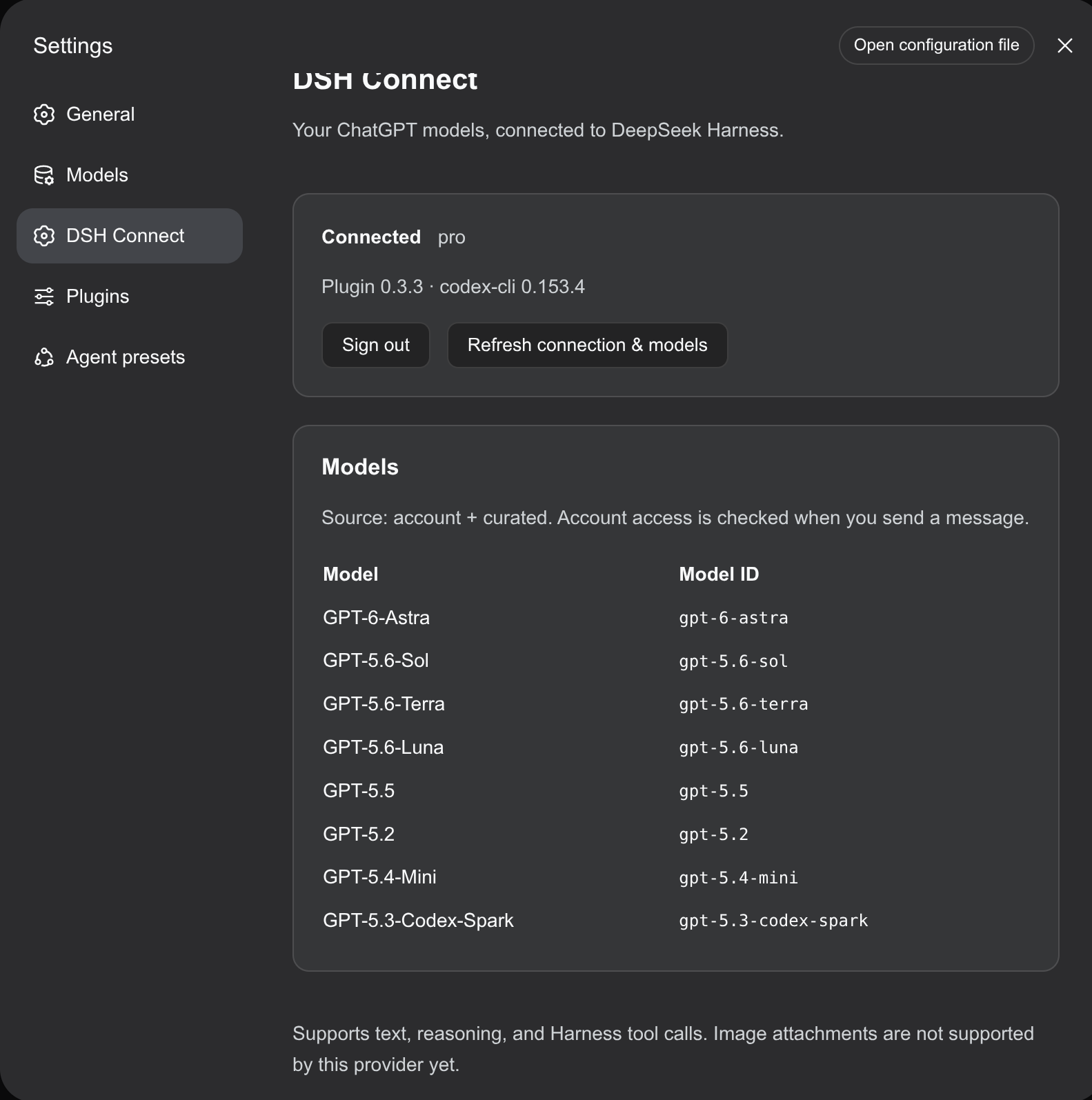 Desktop connection settings and model catalog | 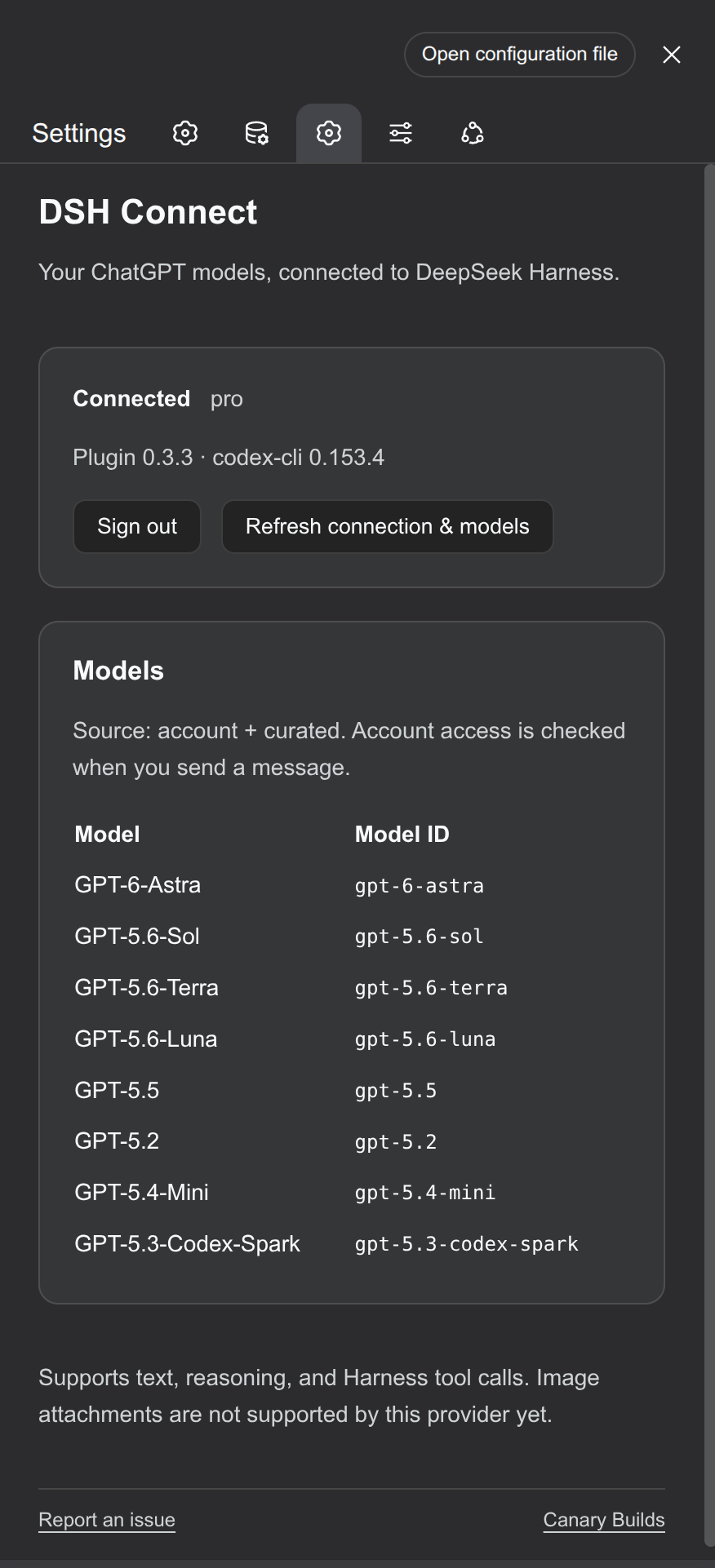 Connection settings on a narrow screen |
The narrow-screen example also uses DSH Mobile UI. Models shown depend on your account and plugin version.
Features
- Account model discovery merged with a curated fallback; unlisted model IDs can still be requested.
- One catalog shared by Settings and the model picker, with refresh and connection diagnostics.
- Text streaming, reasoning summaries, Harness dynamic tool calls and token accounting.
- Request cancellation, RPC timeouts, process recovery and separate auxiliary calls.
- Conversation reconstruction after restart, compaction or changed tool definitions.
- No runtime npm dependencies or automatic binary downloads.
Harness owns tool execution and permissions. The connector disables native Codex tools. Grok is not given shell or filesystem access; a Grok tool request is returned to Harness instead. The connector does not silently substitute a different model.
Configuration
By default DSH Connect finds codex on PATH, and uses ~/.deepseek-harness/codex as its sign-in directory. Set DSH_CODEX_HOME to an existing Codex home if you want to reuse that login.
Environment variables:
| Variable | Purpose |
|---|---|
DSH_CODEX_BIN | Absolute path to the official Codex executable; overrides discovery. |
DSH_CODEX_HOME | Codex sign-in and configuration directory. |
DSH_GROK_BIN | Absolute path to the official Grok executable; overrides discovery. |
DSH_GROK_HOME | Grok sign-in directory. Defaults to ~/.grok. |
DSH_CONNECT_CONFIG | Override the configuration-file path. |
DSH_CONNECT_NO_PROXY | Optional domains to append to the child NO_PROXY. |
Alternatively, create $DSH_HOME/connect.json (default ~/.dsh/connect.json):
{
  "codexBin": "/absolute/path/to/codex",
  "codexHome": "/absolute/path/to/codex-home",
  "grokBin": "/absolute/path/to/grok",
  "grokHome": "/absolute/path/to/grok-home"
}
The optional noProxy field contains a comma-separated domain list. Proxy routing is inherited unchanged unless explicitly configured. Do not put credentials in this file. The official Codex executable manages ChatGPT authentication, and the official Grok executable manages Grok authentication. Remote ChatGPT sign-in needs the tunnel in Browser on another computer.
Tested with DSH 0.1.1-rc.2 and Codex 0.153.4 on Linux. Grok uses grok agent stdio from the current Grok CLI. Both upstream interfaces are evolving; other versions and operating systems need validation. Requires Node.js 22.19+.
Development
git clone https://github.com/Canary-Builds/dhs-connect.git
cd dhs-connect
npm test
npm run test:package
npm run doctor
npm run test:live
No dependency installation is required for unit tests. npm test rebuilds the client and exercises transport failures, cancellation, model fallback, tool bridging, history recovery, Settings registration and request-origin checks. The build derives the client module ID from package.json; edit src/client.js, not lib/client.js.
test:live uses your configured ChatGPT login and sends a few short requests. Set DSH_CONNECT_TEST_MODEL to choose the test model. scripts/verify-web.mjs checks a running DSH server's served module using its actual module loader and a React render check; it uses DSH_WEB_URL and optionally DSH_RUNTIME_PACKAGE for the host location.
Limits and security
This version supports text and text tool results. Image attachments and per-turn temperature, stop sequences or output-token caps are not supported. A model's presence in the catalog does not guarantee account access.
Matching continuations reuse an ephemeral Codex thread. When that state no longer matches the supplied DSH history, the connector rebuilds from a role-labeled JSON transcript. This adds prompt tokens and does not restore hidden reasoning or replay completed tool execution.
Settings controls require loopback transport and same-origin requests and reject cross-site requests. Remote access requires a trusted deployment proxy; the plugin does not create public endpoints or add authentication to a proxy. Native stderr is not forwarded to Harness logs because it can include request data. Diagnostics filter common credential patterns.
See CONTRIBUTING.md for changes, RELEASING.md for versioned releases and npm publishing, and DIRECTORY.md for a ready-to-copy directory submission.
Upstream references
The development history began with the community dsh-openai-oauth integration. The connector implementation in this repository was subsequently rewritten. DSH Connect is independently maintained by Canary Builds and is not an official DeepSeek or OpenAI product.
License
MIT. See LICENSE.