
 @Canary-Builds
dsh-mobile-ui
Mobile and PWA interface enhancements for DeepSeek Harness, inside your existing web UI.
- Stars
- 0
- Language
- JavaScript
- Created
- Aug 31, 2026
- Updated
- Sep 6, 2026
Introduction
DSH Mobile UI
A mobile/PWA-first UI redesign for the DeepSeek Harness (DSH) web GUI, delivered as one Cordis plugin with a host half and a browser half. minimal, app-like: the sidebar gets out of your way, the reading area wins, and the app installs as a proper standalone window.
Everything visual is scoped to app windows and touch devices (display-mode: standalone/fullscreen/minimal-ui, or hover:none + pointer:coarse). Desktop browser tabs are untouched and render the stock UI.
Screenshots
Select a screenshot to view it at full size.
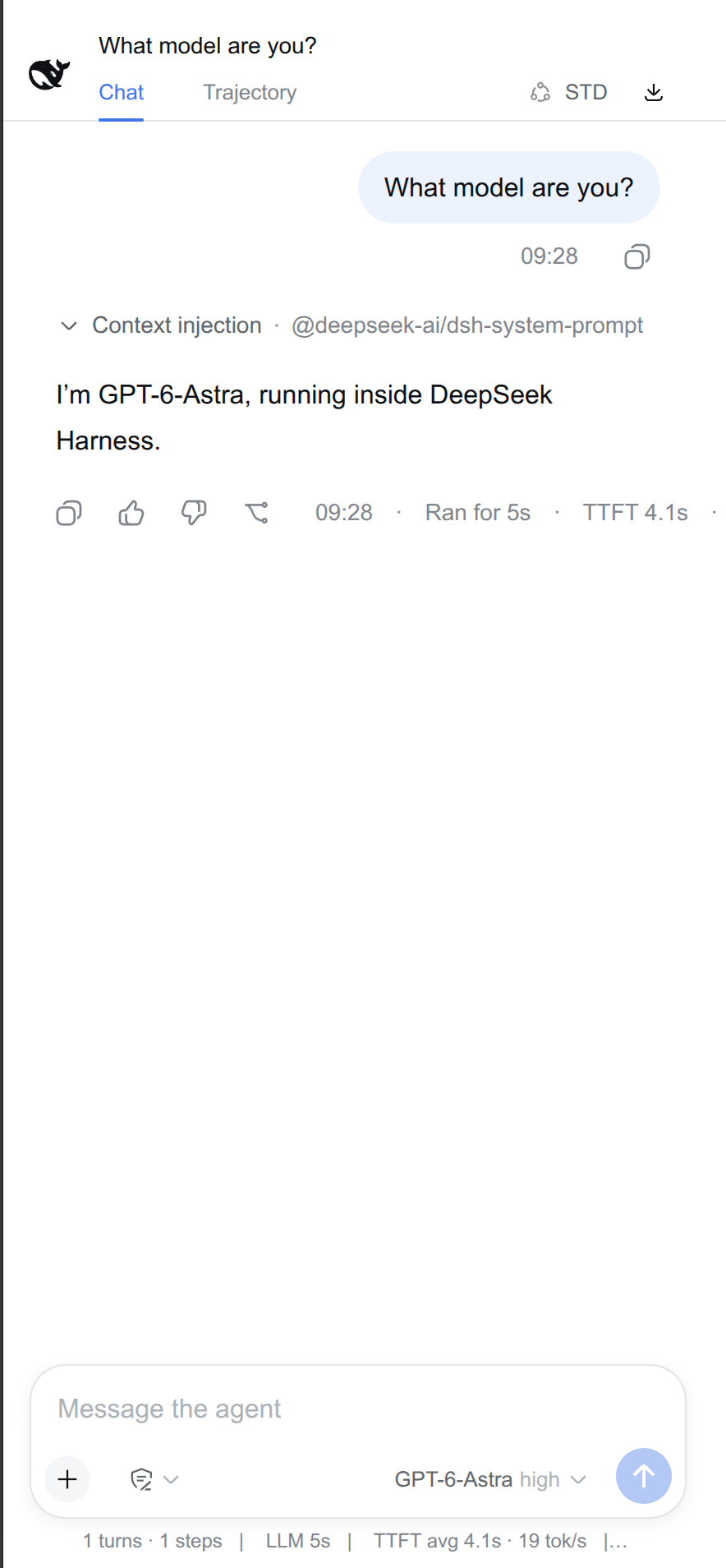 Chat · light theme | 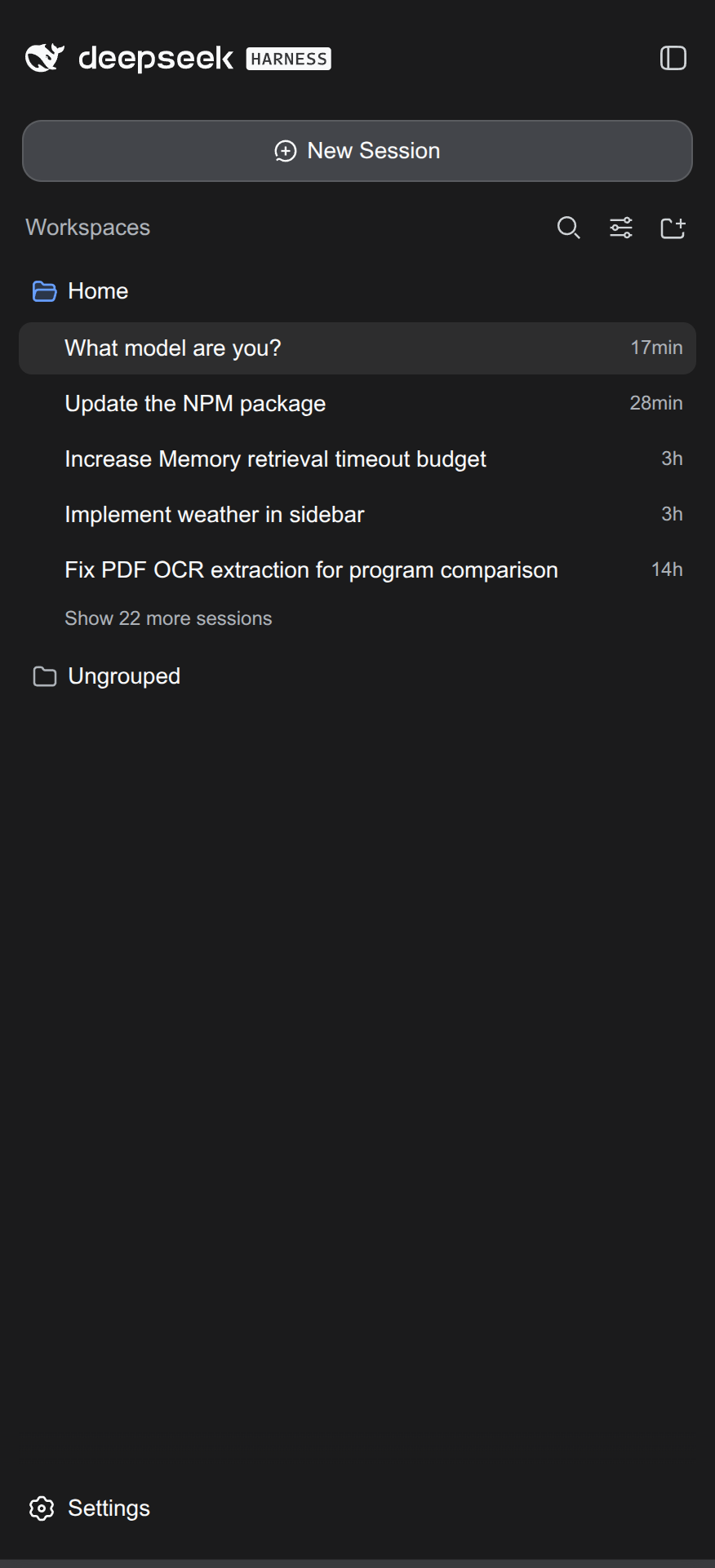 Fullscreen sidebar · dark theme | 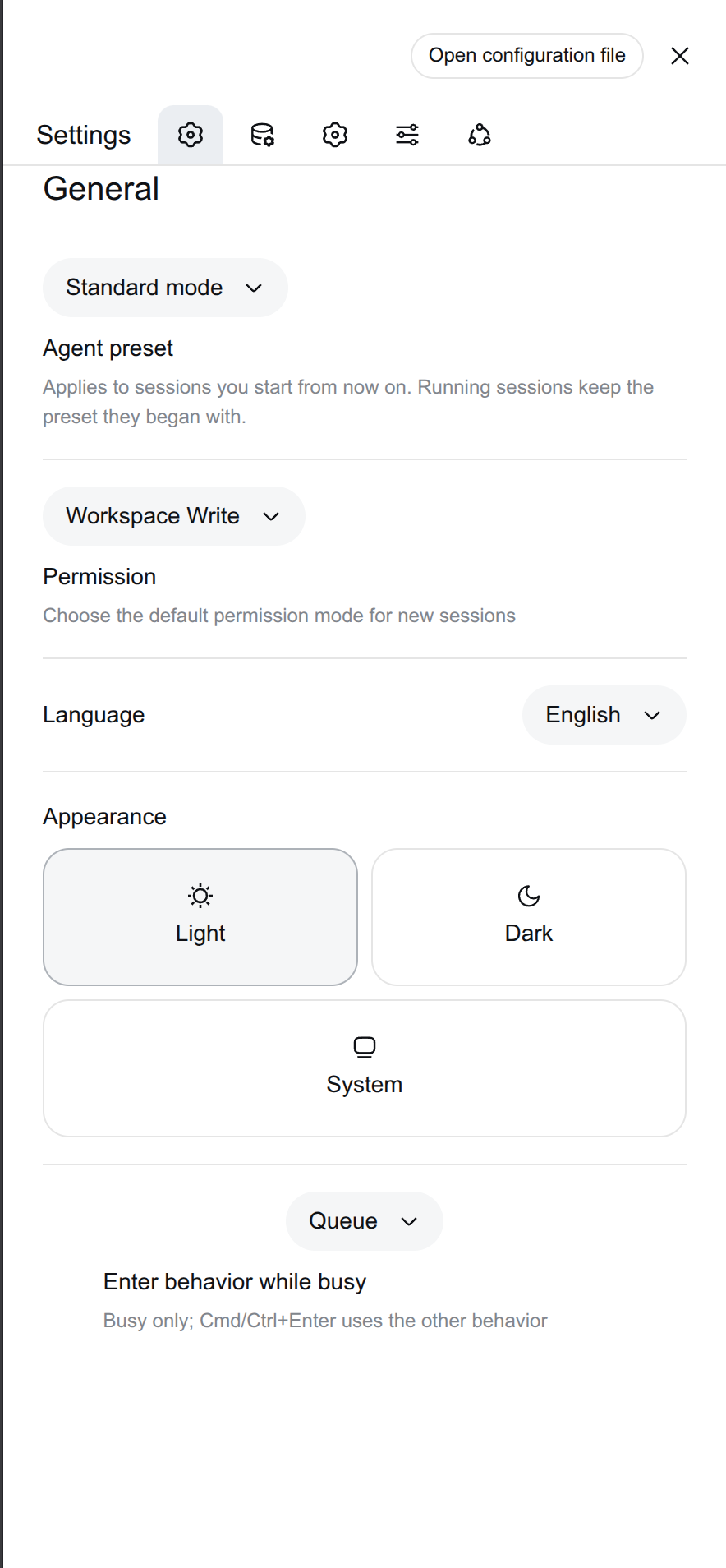 General settings · light theme |
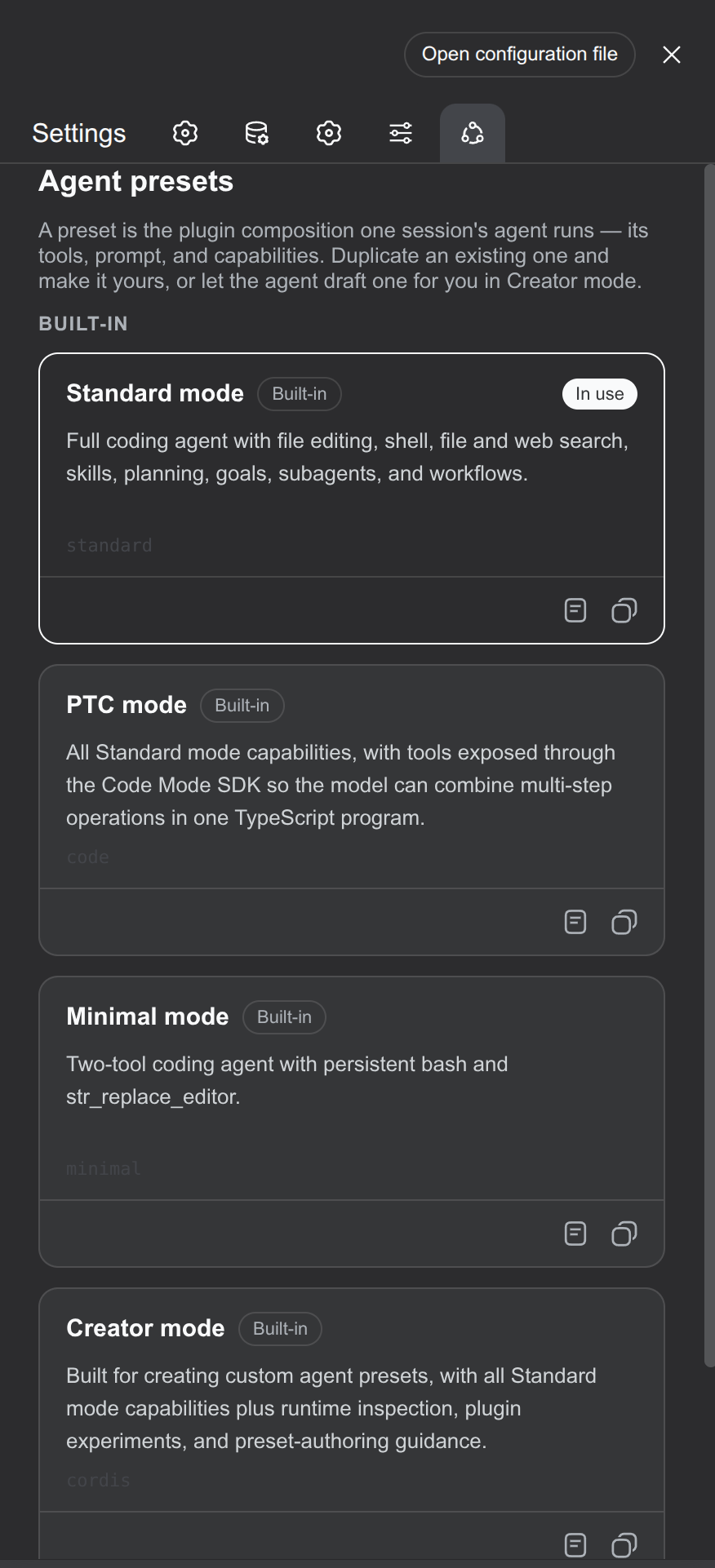 Agent presets · dark theme | 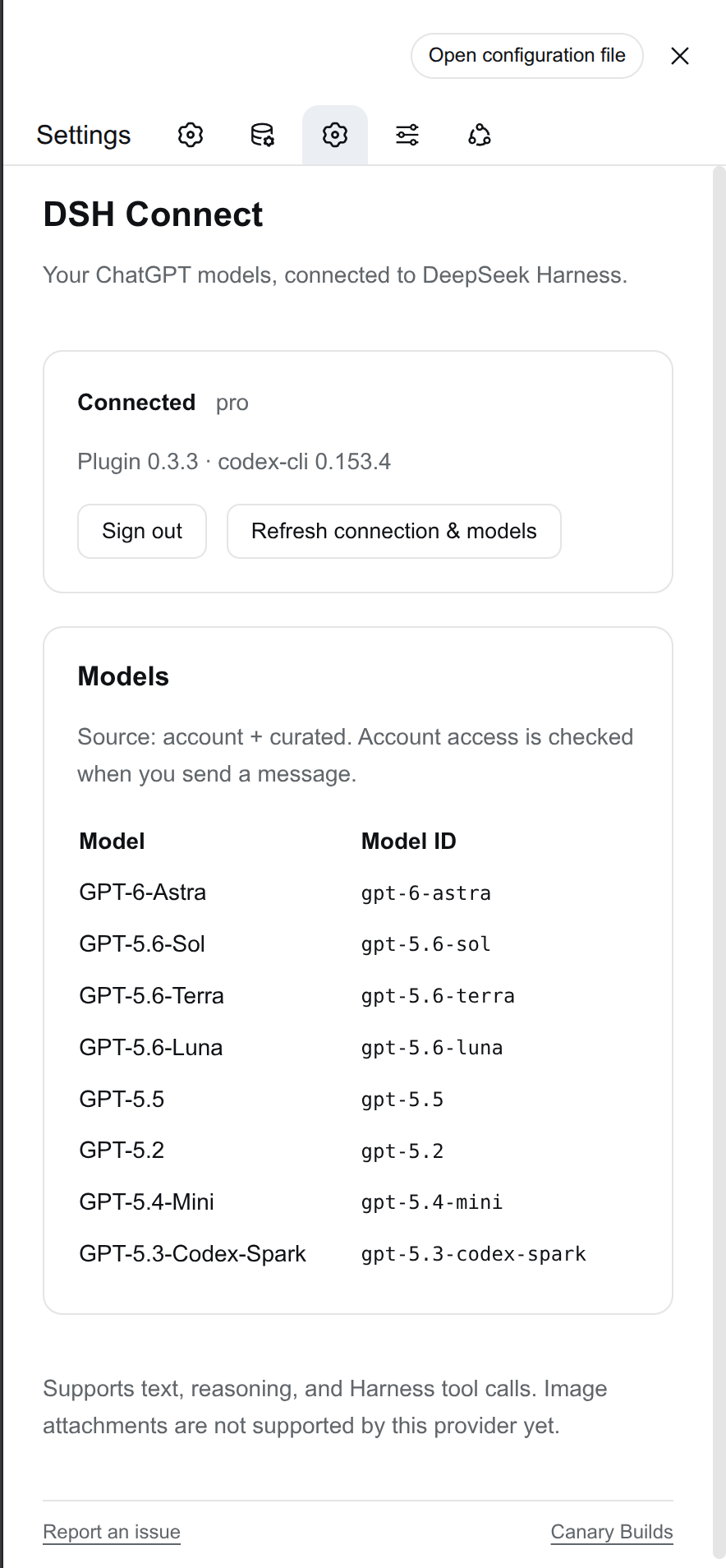 DSH Connect settings · light theme | 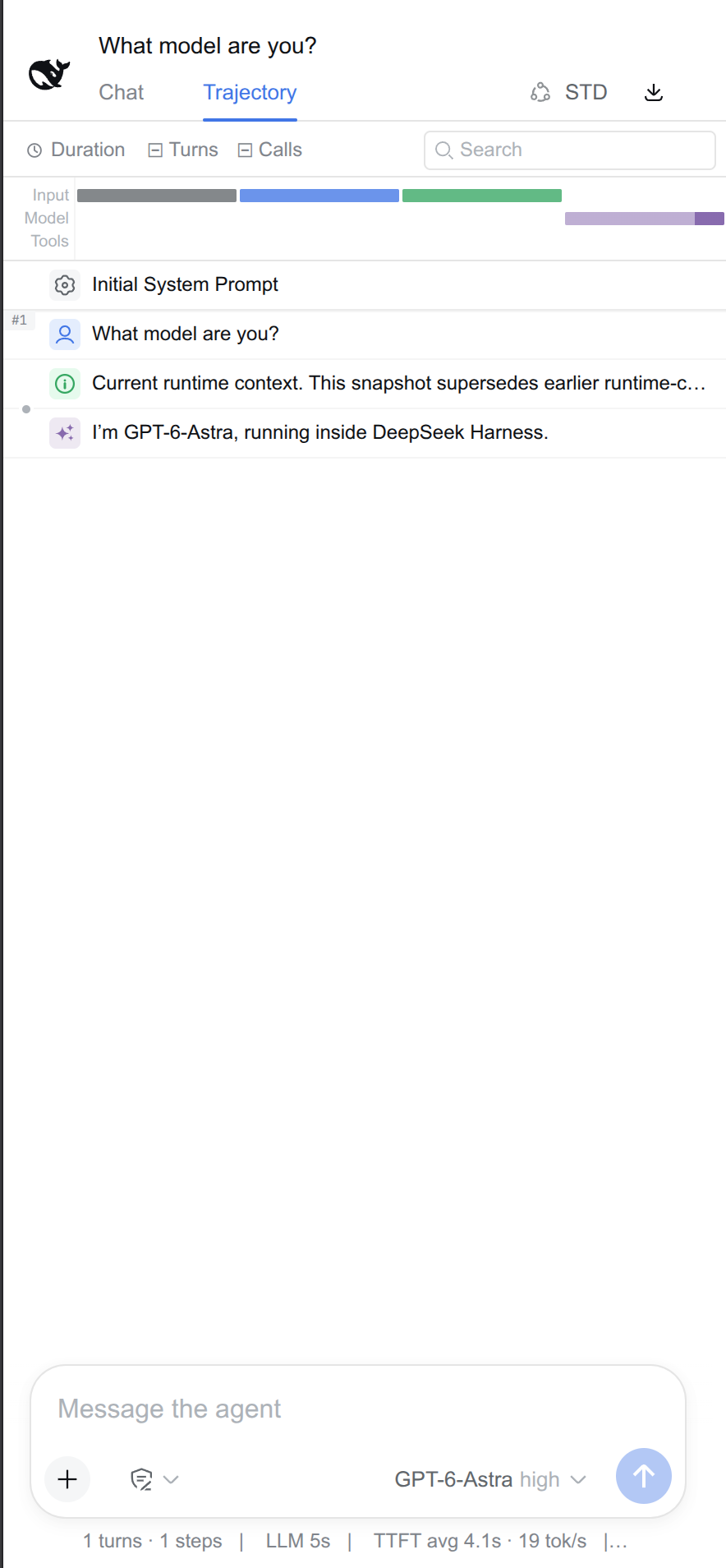 Trajectory · light theme |
The connector settings example shows DSH Connect, installed separately. Mobile UI changes the layout of the existing Harness interface.
Features
Sidebar (app-style)
- Collapsing the sidebar hides the 56px icon rail entirely — the chat area spans the full screen width
- A floating whale launcher (the DSH whale mark, theme-following) appears centered in the first column's header band; click to expand
- Expanding opens the sidebar as a fullscreen overlay covering the chat instead of pushing it
- Opening a session from the list auto-collapses the sidebar (workspace group rows and row menus are ignored)
Top bar
- Title row spans the full width; tab row (Chat / Trajectory) gains two right-aligned controls: the agent-preset mode chip (abbreviated to
STD/PTC/MIN/CTR, en+zh) and the session-log export as a bare icon-only button
Settings
- The settings sheet fills the entire screen (no margins, no radius)
- Section nav collapses to an icon-only rail (labels stay in the accessibility tree)
- Picker rows (Permission / Agent preset / Enter behavior): selector on top full-width, description filling the area below
Chat area
- Side padding reduced (32px → 12px left / 6px right), reserved scrollbar gutter removed
- User bubbles: fit-content size, right-anchored, uncapped width (extend all the way left when long), square right corners, overflow-safe
PWA
- Host route serves a standalone-window manifest (
display: standalone+display_override), so the GUI installs as a real app window — the Android notification bar stays visible (the shipped manifest usesfullscreen, which hides it)
Install
Requires Node.js 22.19+ and DeepSeek Harness. Install into your web profile:
dsh plugin --profile web add @canary-builds/dsh-mobile-ui
Restart DSH and refresh the browser. To update, run the same command again and restart. The package includes its Profile Bundle patch and prebuilt browser module; no separate installer, build, or manual composition row is needed for a fresh install.
Migrating from Splash
This is the successor to dsh-plugin-splash in the renamed Canary-Builds/dsh-mobile-ui repository. Remove the old splash row that names dsh-plugin-splash from your profile's cordis.patch.yml, then run:
dsh plugin --profile web remove dsh-plugin-splash
dsh plugin --profile web add @canary-builds/dsh-mobile-ui
If you installed the interim @canary-builds/dsh-wpa package, remove it with dsh plugin --profile web remove @canary-builds/dsh-wpa before installing Mobile UI.
Restart DSH. Keep other profile overrides intact. Do not load both packages together; both own the same UI behavior and manifest route. GitHub redirects the previous repository URL, but npm package names do not redirect automatically.
Compatibility
The redesign is implemented as scoped CSS keyed off the shipped UI's DOM: stable public attributes (data-sidebar-collapsed, data-details-collapsed, slot wrappers) wherever possible, plus CSS-module class hashes for elements that expose nothing else. Those hashes are build-specific — the plugin targets the 0.1.1-rc.x DSH web frontend and may silently no-op (never break) on a version whose bundles re-hash. If a feature stops applying after a DSH upgrade, update the hashes in lib/client.js (serve /plugins/@deepseek-ai/dsh-client-ui-*/client.js on your install and grep the new prefixes).
Behavior notes
- The manifest override takes precedence over the dist fallback server; disabling the plugin row restores the shipped manifest on restart
- All effects are fiber-owned: removing the plugin row cleanly reverts every style, slot entry, listener, and route
- The floating launcher and auto-collapse never run in desktop browser tabs
License
MIT
Development and releases
Run npm test and npm run test:package. See RELEASING.md for automated npm publication and GitHub releases. Report an issue · Canary Builds.