
 @Chaos-Paradox
dsh-search-proxy
DSH Search & Proxy: self-hosted SearXNG search + optional process proxy for DeepSeek Harness. Keep official search; the proxy may improve connectivity and downloads. | DSH 搜索与代理:免费自托管搜索+可选进程代理,继续使用官方搜索时也可用。
- Stars
- 2
- Language
- TypeScript
- Created
- Oct 6, 2026
- Updated
- Oct 26, 2026
Introduction
DSH Search & Proxy
English | 中文
Add web search without a search API key by default to DeepSeek Harness (DSH), or connect DSH to a proxy you already use.
- Want free search? Search through SearXNG, without installing Docker or Python yourself.
- Prefer official search? Keep it and use the optional proxy to help with connectivity and downloads.
Tested with: DSH 0.2.1-rc.3. See compatibility and test coverage for other versions and platforms.
Install and start
Upgrading from
dsh-web-search-searxng? Follow the migration guide first so your saved settings keep working.
1. Install the plugin. Open Plugins → Add plugin in DSH, paste this address, then enable the plugin. No Git required.
https://github.com/Chaos-Paradox/dsh-search-proxy/releases/download/v0.5.0/dsh-search-proxy-0.5.0.tgz
2. Start searching. Open Plugins → DSH Search & Proxy and click Prepare and start. Once the service shows Ready, choose your engines and language, save, and click Test search.
First use downloads the runtime; later starts reuse the cache. A prepared service starts and stops with the DSH backend. You can also connect an existing SearXNG instance. CLI installation and more options.
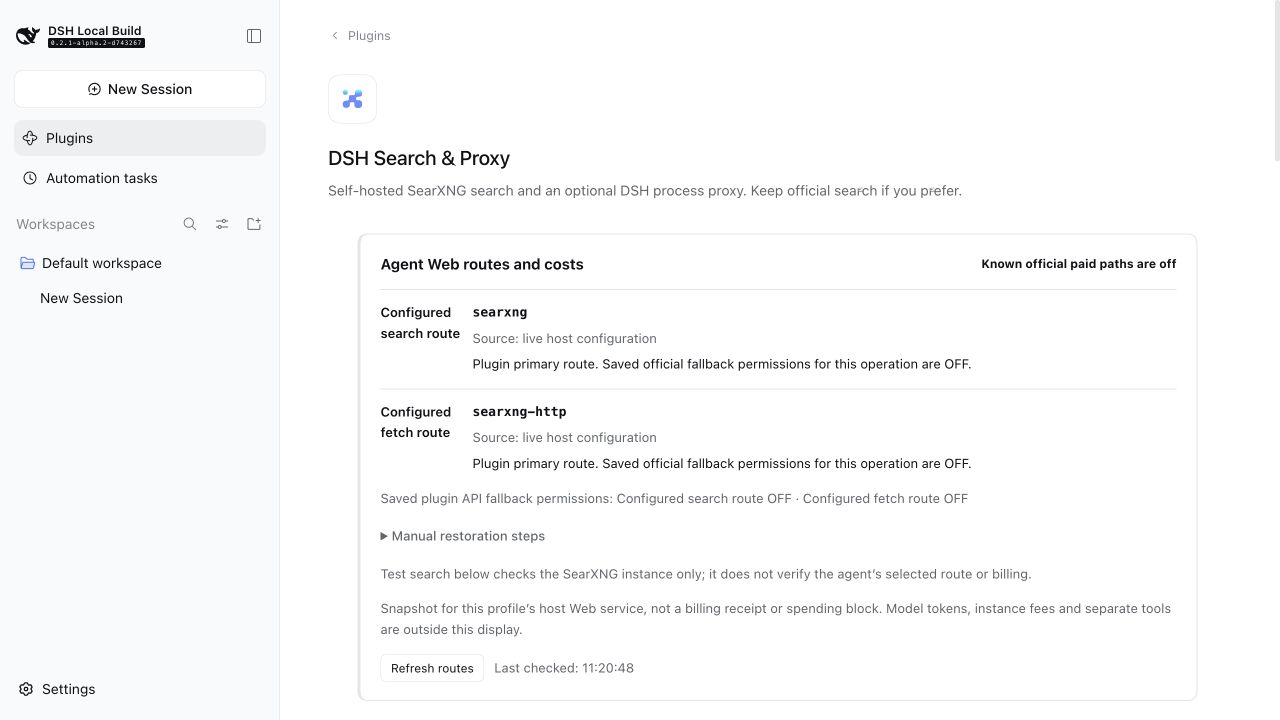
Just want the proxy?
Leave the plugin enabled and keep official search selected in DSH. You do not need to prepare local SearXNG. At the bottom of the plugin page, enter your existing proxy's host and HTTP / Mixed port, read the risk notice, and confirm to enable it.
The proxy is off by default. It may improve connectivity and download speed, depending on your network and proxy, and may affect other DSH network requests. See the proxy panel · Setup and risks.
Costs and further reading
The SearXNG path has no per-search API fee. Model calls and official services retain their own pricing; the plugin's paid fallback is off by default.