
 @FeatherHunter
dsh-im-companion
dsh-im-companion:以助理和家的概念增强 dsh-im——哪个工作区有助理在管、在不在线尽收眼底,搬家拖一下就行。
- Stars
- 29
- Language
- TypeScript
- Created
- Sep 2, 2026
- Updated
- Oct 21, 2026
Introduction
dsh-im-companion
中文 · English
dsh-im-companion 以助理和家的概念增强dsh-im的使用体验。
你的 ⭐是我夜空中最亮的星。
Give every agent a home — IM Companion handles the rest.


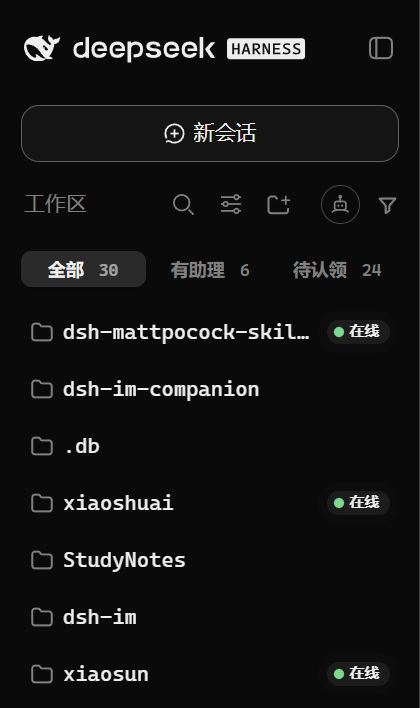
👇 有助理的工作区,一目了然。
|
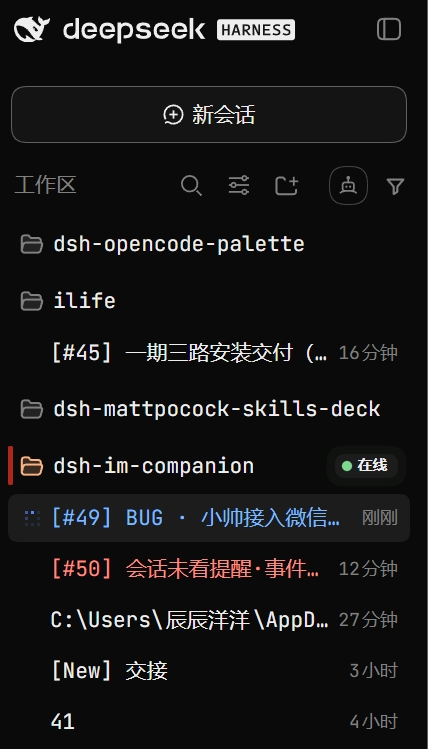
👇 额外增强DSH原生会话状态。
|
装它,1 分钟(先装 dsh-im,再装辅助)。
INSTALL
安装
# 1 安装 DSH CLI(已装跳过)
npm install -g @deepseek-ai/dsh

# 2 先装本体 dsh-im(已装跳过,同样 --profile 必填)
dsh plugin --profile desktop add dsh-im
#     或者
dsh plugin --profile web add dsh-im

# 3 再装辅助(--profile 必填,装进实际使用的入口)
dsh plugin --profile desktop add dsh-im-companion
#     或者
dsh plugin --profile web add dsh-im-companion

# 锁定版本更稳(当前 0.2.19)
dsh plugin --profile desktop add dsh-im-companion@0.2.19 --registry https://registry.npmjs.org
装完刷新页面即生效。若面板没有出现,请完全退出 DSH 后重新打开。
把安装交给你的 AI
复制下面这段发给你的 AI:
请帮我安装 DeepSeek Harness 插件 dsh-im-companion(IM 辅助)。
先读仓库 README:https://github.com/FeatherHunter/dsh-im-companion
先确认我实际使用的 DSH 入口对应哪个 profile(桌面应用走 desktop,自启 web 服务走 web),
先确认 dsh-im 本体已装进同一个 profile(没装先装),再把辅助装进正确的 profile。
更新不生效时怎么装
下面以 desktop 为例,web 用户请把 --profile desktop 换成 --profile web:
dsh plugin --profile desktop add dsh-im-companion@0.2.19 --registry https://registry.npmjs.org
npx --yes @deepseek-ai/dsh plugin --profile desktop add dsh-im-companion
dsh plugin --profile desktop add dsh-im-companion@latest --registry https://registry.npmjs.org
升级 · 卸载:
dsh plugin --profile desktop update dsh-im-companion
dsh plugin --profile desktop remove dsh-im-companion
WHY
为什么要做 IM 辅助
dsh-im 掌管接入,dsh-im-companion 以助理和家的概念增强能力。
家:哪个工作区有助理在管、在不在线,尽收眼底;搬家拖一下就行。
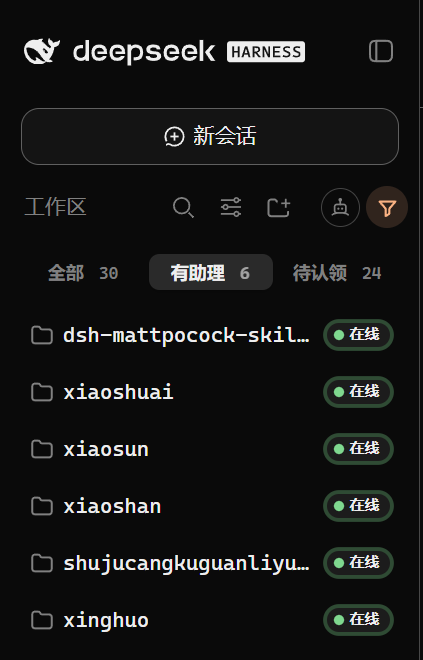
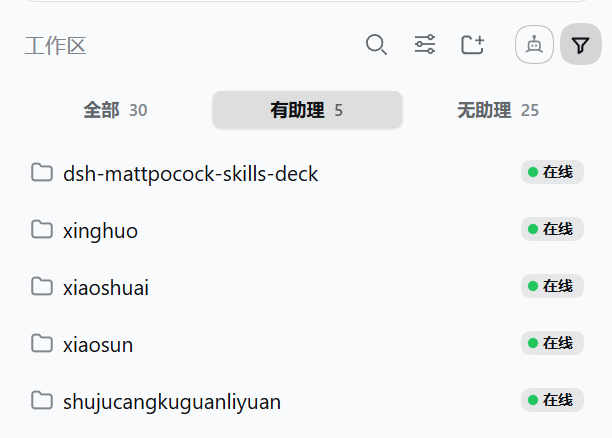
👇 点“有助理”,只看已安家的。
IN ACTION
真机演示
👇 进设置 → IM机器人增强:助理、渠道、在线状态一屏看尽。
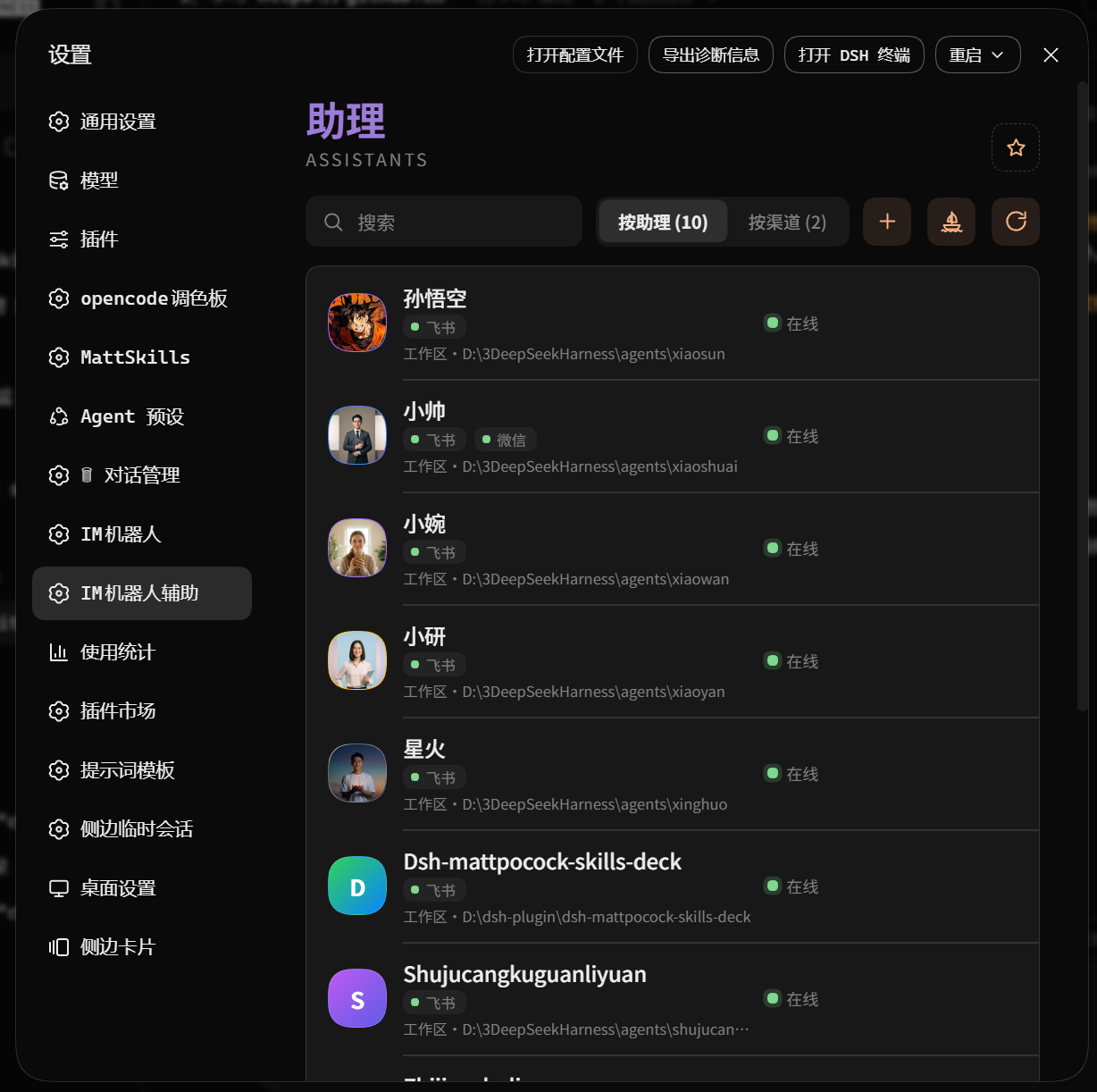
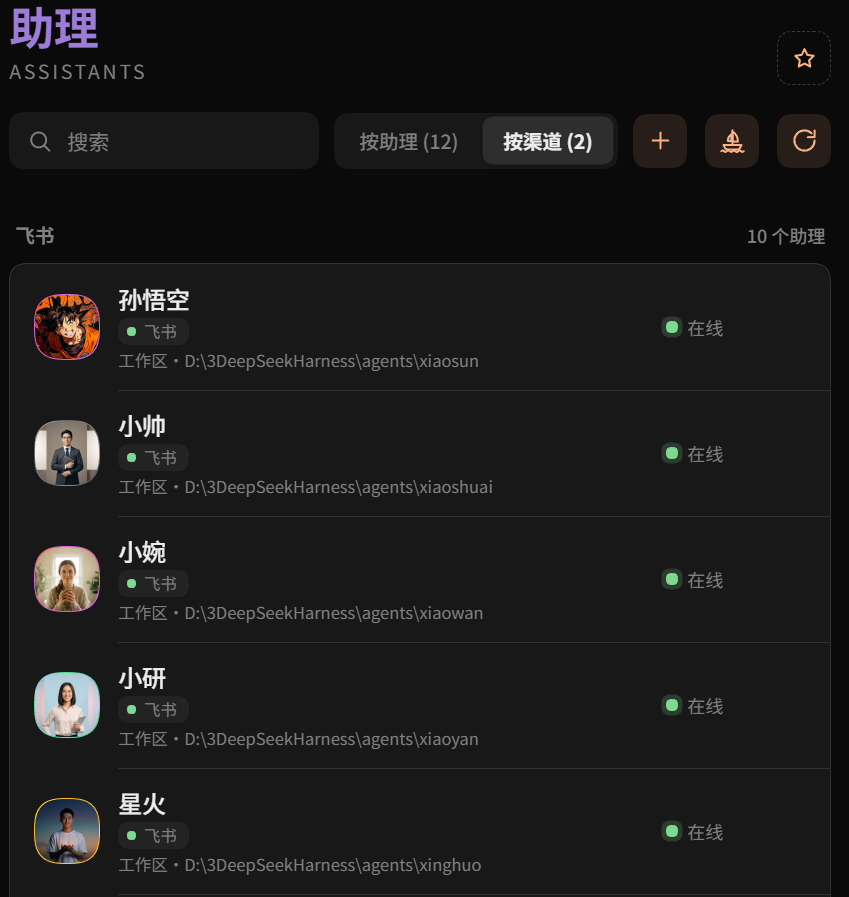
👇 切按渠道:同渠道助理排一排。
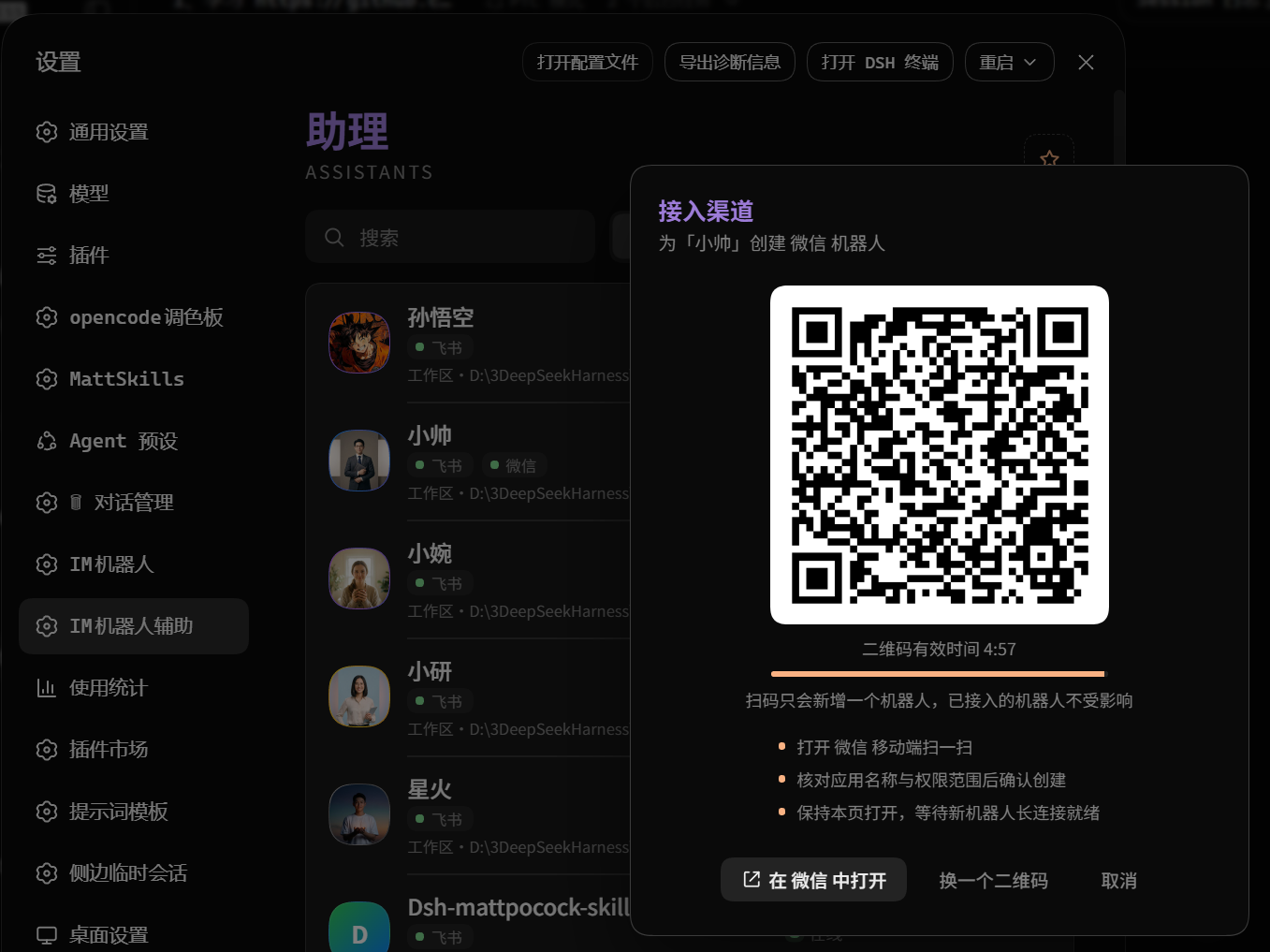
👇 点“添加接入”:选家后扫码即绑定。
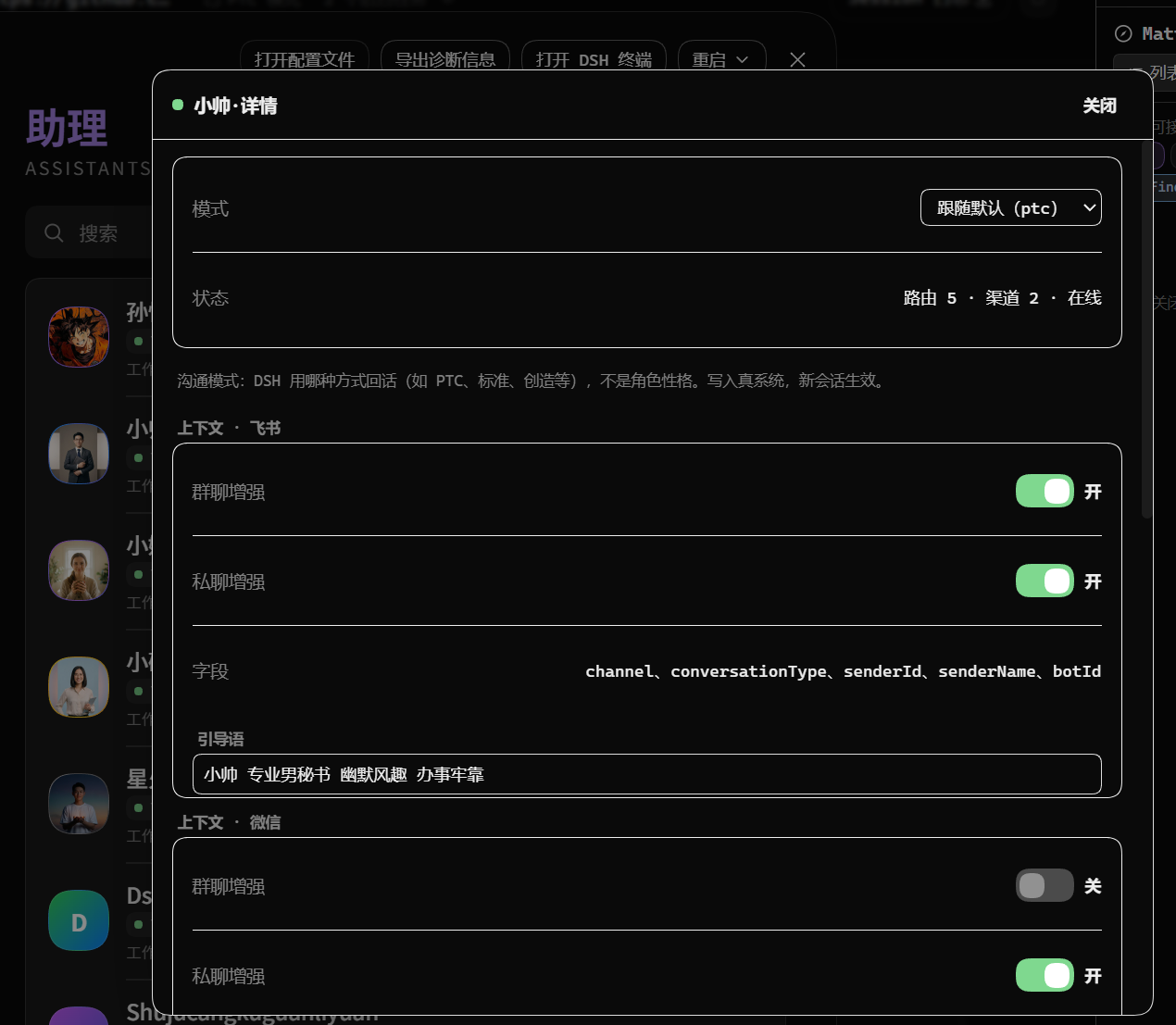
👇 点开助理卡:模式、状态、各渠道增强开关一目了然。
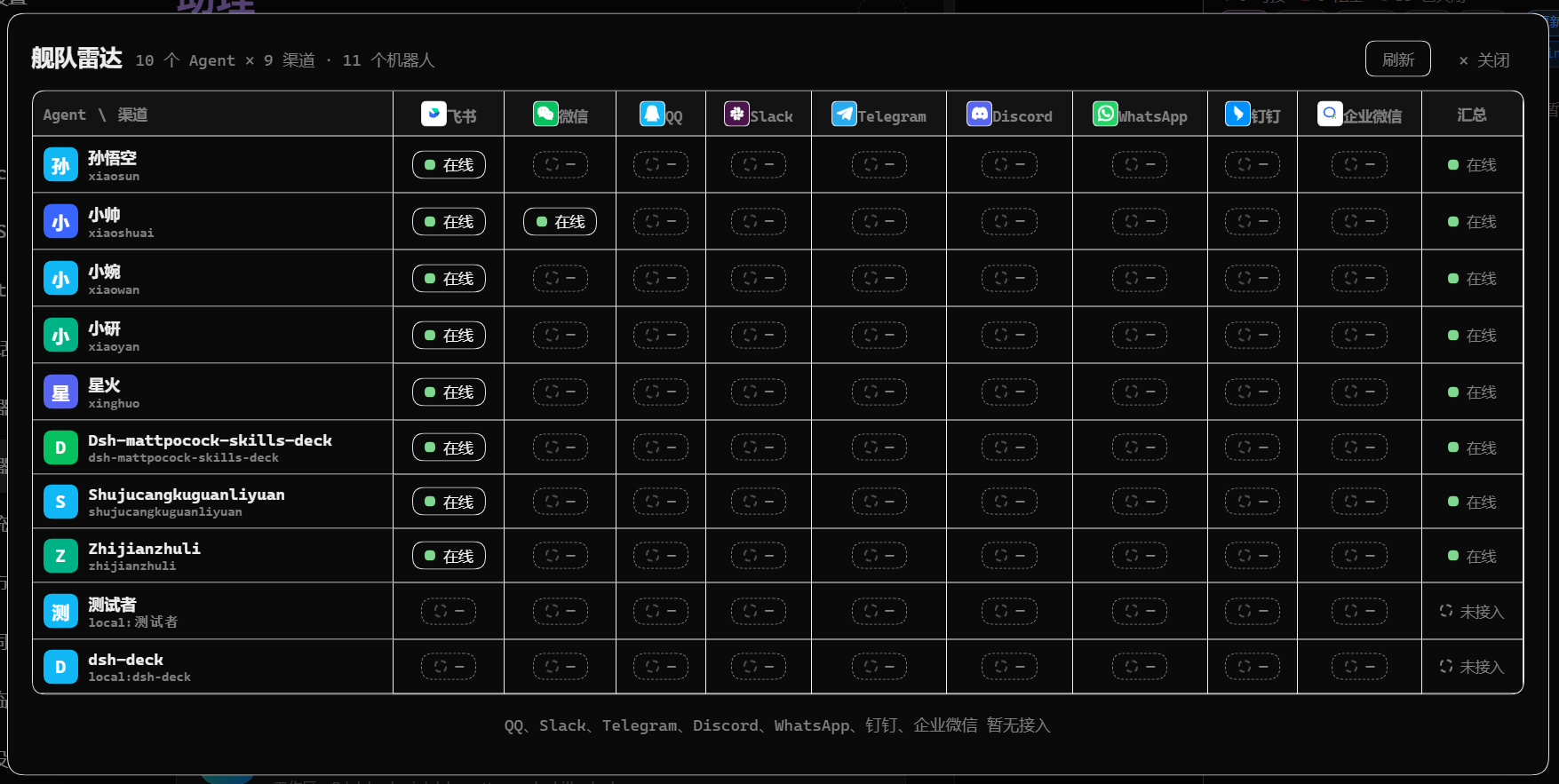
👇 舰队雷达:Agent × 渠道矩阵,全舰队谁在线一眼看清。
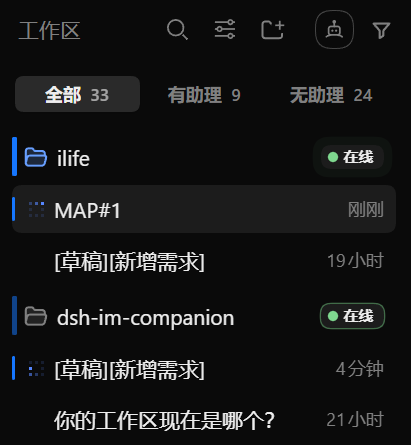
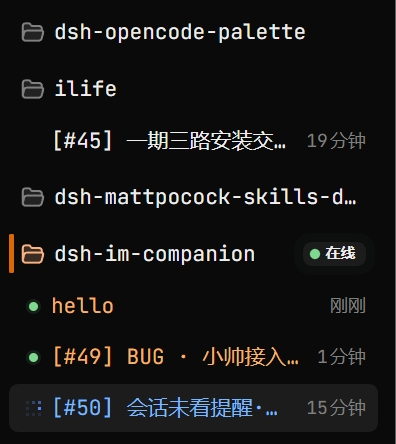
👇 会话状态一目了然(DSH增强)。
👇 蓝条代表有会话在执行。
|
👇 橙条代表有消息等你确认。点开后自动熄灭。
|
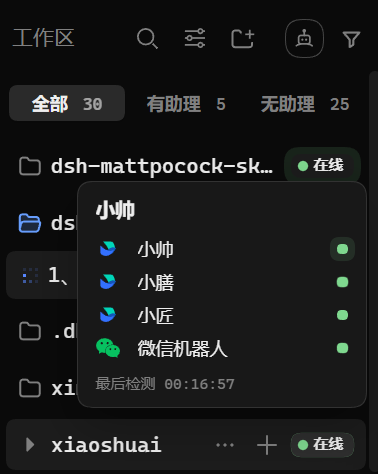
👇 悬停看双通道 + 最后检测时间
|
👇 浅色主题同样可用
|
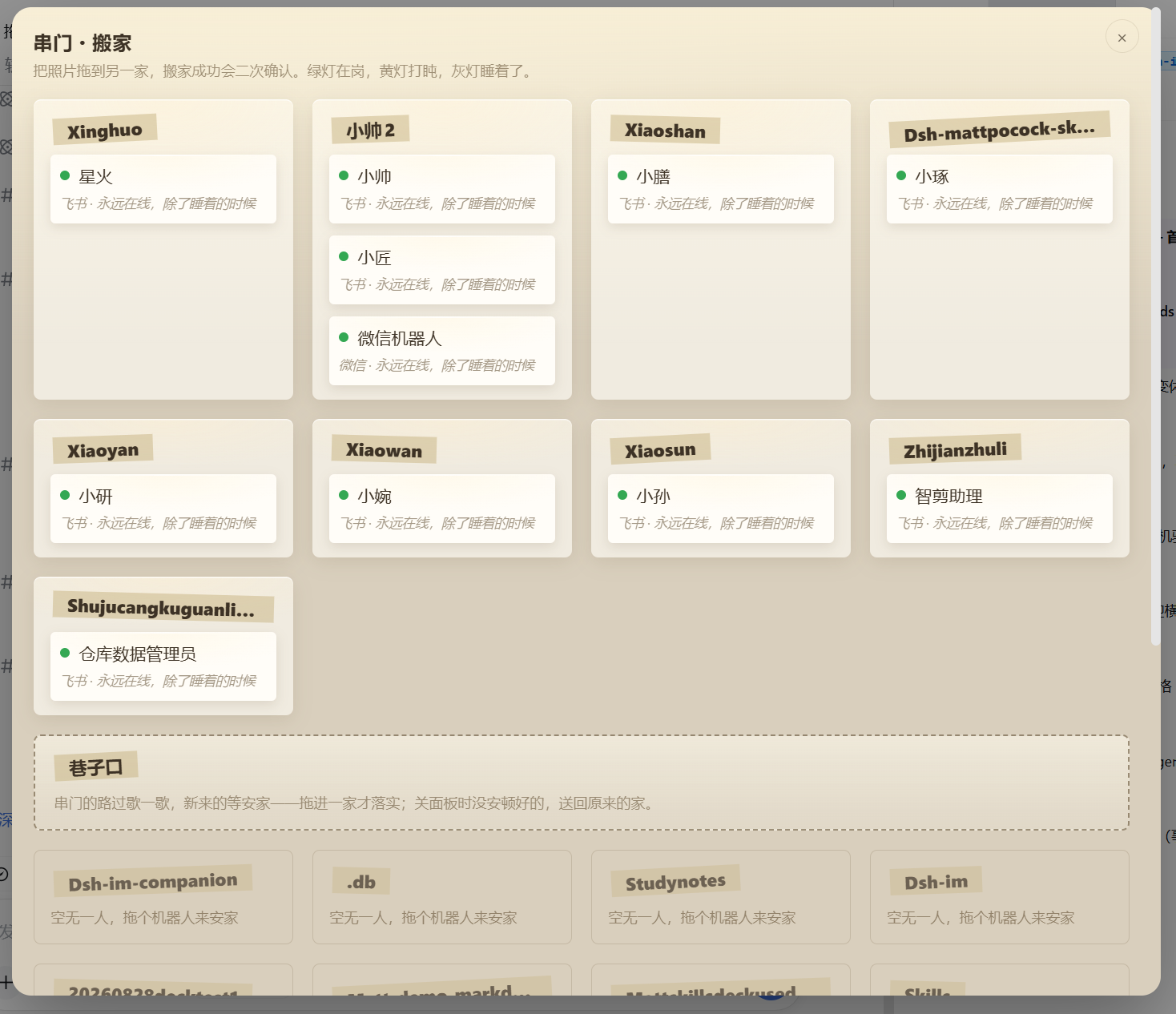
👇 点工具栏机器人脸图标,进搬家面板

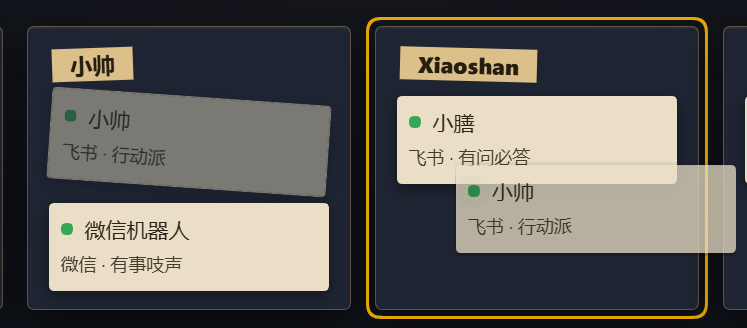
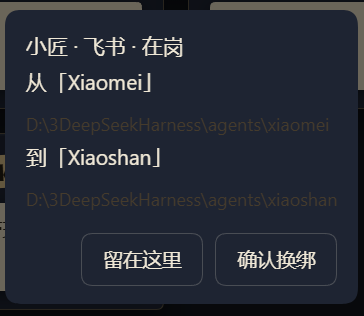
👇 串门搬家:把照片拖到另一家,二次确认。绿灯在岗,黄灯打盹,灰灯睡着。
👇 卡片拖到另一家上空,目标家高亮
👇 搬家前二次确认
FAQ
常见问题
更新之后还是旧版本?
这是桌面端的应用市场缓存策略导致的:刚发布的版本几小时内更新会静默跳过。等几小时再更新;等不及就显式指定官方源装一次:
dsh plugin --profile desktop add dsh-im-companion@latest --registry https://registry.npmjs.org
MORE
作者的其他作品
dsh-opencode-palette —— 34 款 opencode 经典配色,一键换装
dsh-mattpocock-skills-deck —— Matt Pocock 技能面板:25 个工程与效率技能即装即用
dsh-chinese-skill-patch —— 中文技能名直达,不必改英文名
dsh-prompt —— Prompt 工具箱:24 条深度模板随手点
有任何问题、建议、意见、想法、IDEA、交流、吐槽,都欢迎提交 ISSUE!🌹
MIT © FeatherHunter
THANKS
致谢
CONNECT
加入我们
STAR HISTORY
星标曲线
👇 每一次 ⭐,都落在这条曲线上。

左轴读总星标(Total Stars),右轴读每日新增(Daily New),每天自动更新。