
 @HaoyueQin
dsh-git-review
DSH Git Review — 审查标签页 + 围栏 Git 工作台 | Review tab + fenced git workbench for DeepSeek Harness: file tree, diffs, lane graph, guarded git ops
- Stars
- 2
- Language
- TypeScript
- Created
- Sep 5, 2026
- Updated
- Sep 29, 2026
Introduction

DSH Git Review
English | 中文文档









A Review tab plus fenced git workbench for DeepSeek Harness: everything an agent changed, laid out for a decision — file tree, diffs, commit graph — with guarded git operations in the same place.
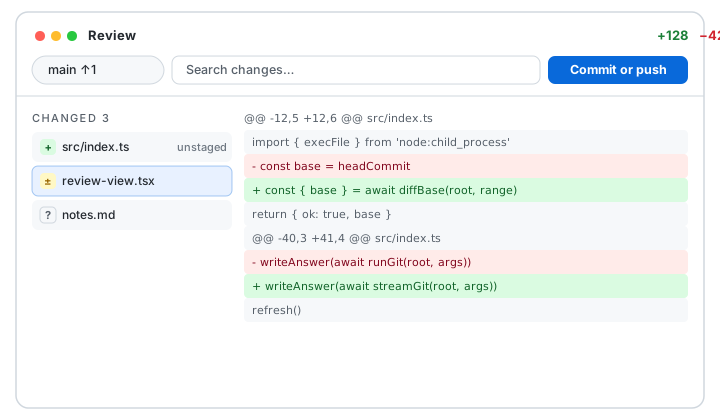
Screenshots
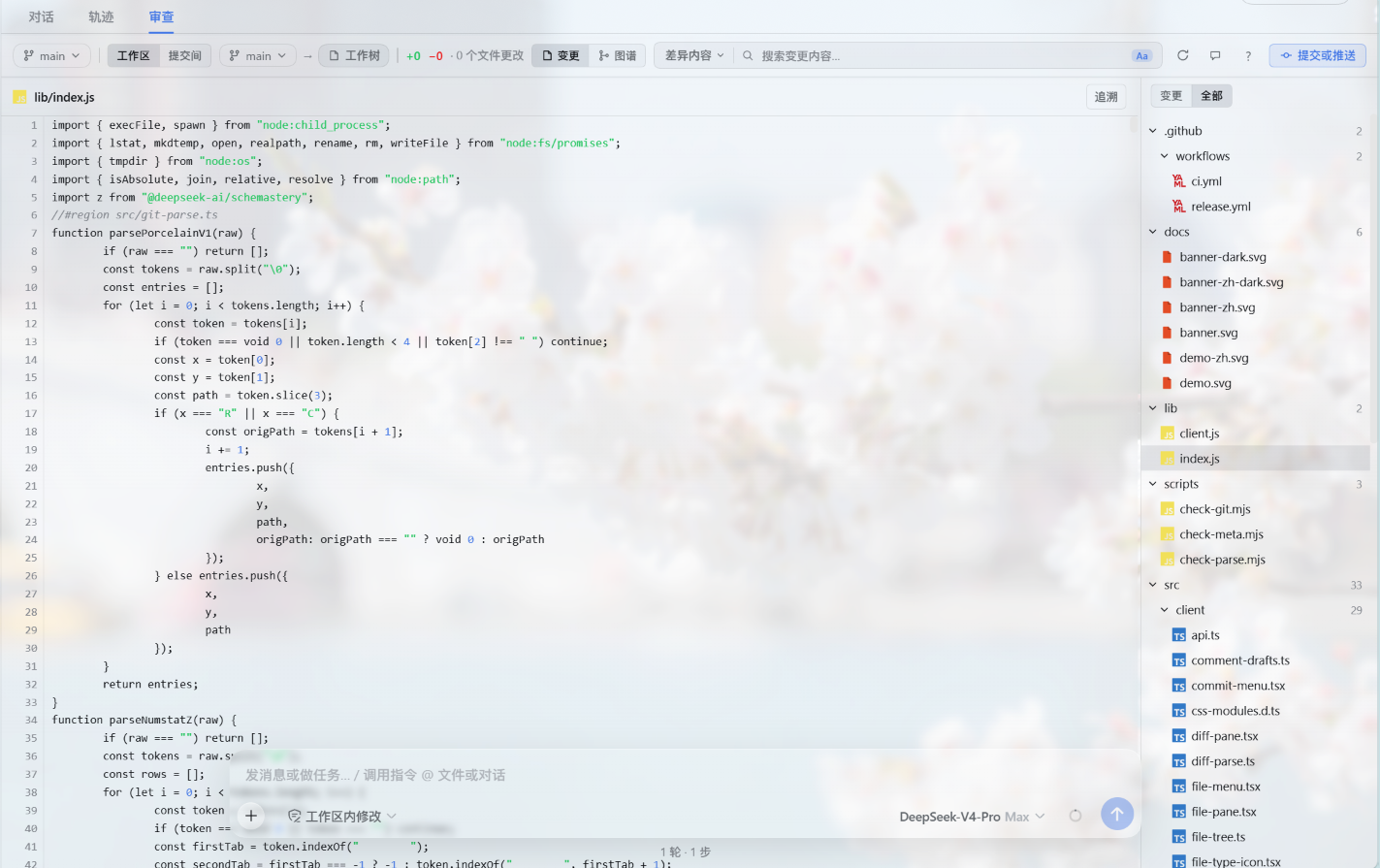
Changes view — syntax-highlighted file with the filterable tree
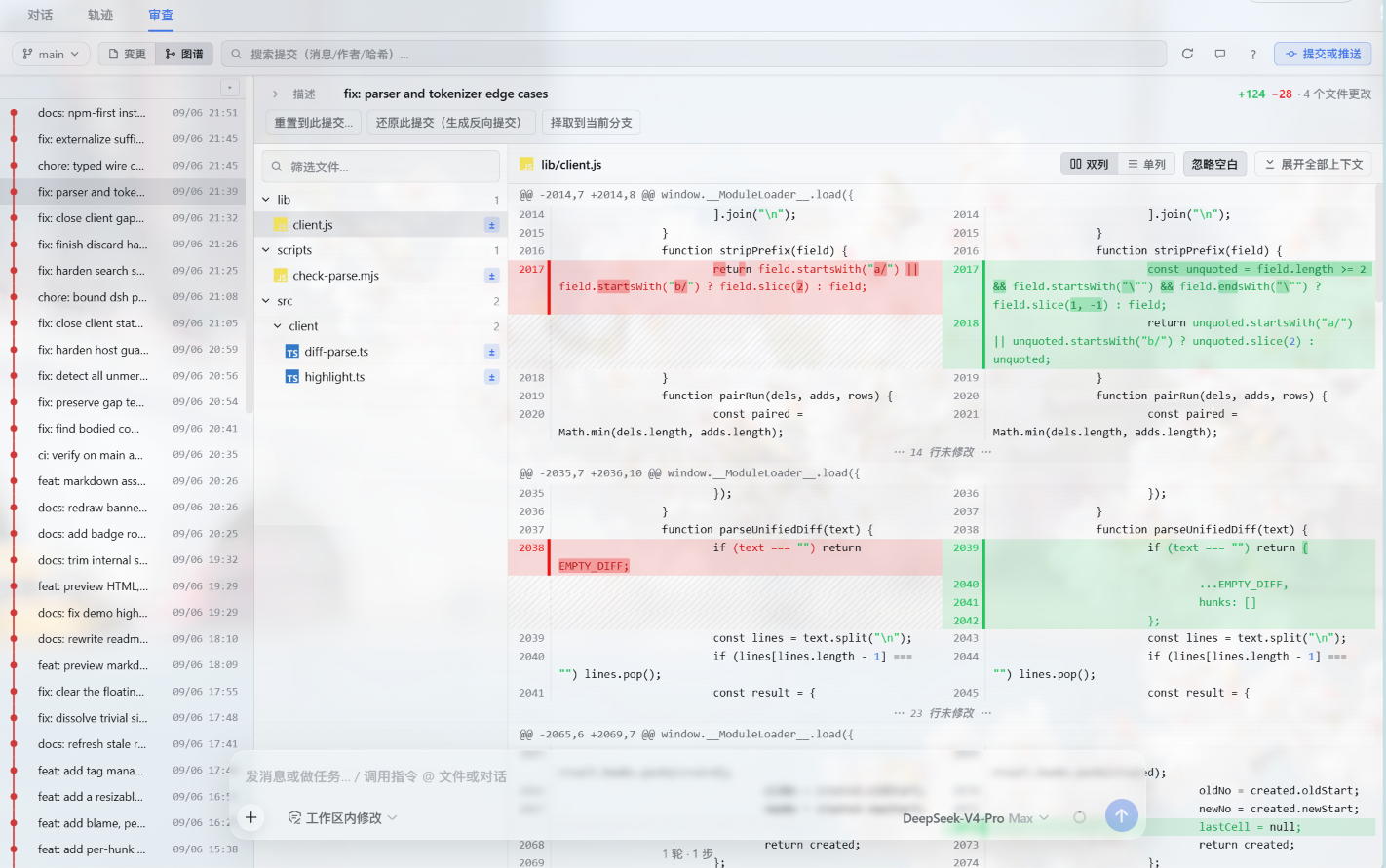
Graph view — commit detail with side-by-side diff and word highlights
What it does
DSH Git Review registers a Review tab next to Chat and Trajectory in the session view. It shows the workspace repository against HEAD — or any two refs — and lets you act on what you see without leaving the tab:
- Review first: filterable file tree with status badges, side-by-side / unified / full-file diffs, hunk folding, word-level change highlights, syntax coloring, and diff search across file names, diff text, and file content. Keyboard-first:
j/kmove between files,/focuses search. - Decide with history: a lane commit graph with per-commit files and diffs, blame gutters, per-file history, and reading any file version from history.
- Act under guard: stage / unstage / discard per file or per hunk, commit (plus amend, Ctrl+Enter), commit-and-push, and push; branches (create / switch / rename / delete / merge / track remotes) with fetch and pull; history operations (reset / revert / cherry-pick, per-commit actions from the graph); lightweight tags (create / delete / push); stash; and merge-conflict resolution (ours / theirs, continue / abort). Every write needs explicit confirmation, destructive ones ask twice, and everything locks while the agent is running.
- Close the loop: comment on any diff line and drop it into the composer draft, mark files reviewed (auto-cleared when the file changes again), and keep comment drafts per workspace.
- Preview files: markdown renders with the shell's own Markdown engine, HTML / images / SVG show inline, PDFs open sandboxed — a script-dependent HTML page gets a notice strip with an open-in-browser shortcut instead of sitting black — every preview has a source view toggle, and office documents open in your external apps from the tree's right-click menu.
- Picture diffs: image changes (PNG / JPG / GIF / WebP / BMP / AVIF / ICO / SVG) render as pictures right inside the diff view — 2-up (side by side, or stacked in unified), swipe, onion skin and a difference blend, with the source diff one click away.
Preferences (diff layout, default search scope, graph shape, matching, whitespace, syntax) live in the harness settings Plugins tab and sync instantly with the Review tab.
Install
From npm:
dsh plugin --profile web add dsh-git-review
dsh web
Or from a local tarball:
pnpm install
pnpm build
pnpm pack
dsh plugin --profile web add ./dsh-git-review-<version>.tgz  # the exact filename pnpm pack prints
dsh web
Requires DeepSeek Harness 0.1.2-rc.1 through 0.2.0-rc.1 (prerelease series are pinned one by one in peerDependencies) and git on the host PATH. Outside a git repository the tab offers file browsing with one-click git init instead of the review workbench — never a blank screen. Display preferences live in the configuration the harness serves for this plugin's entry: its own .volatile() fields keyed by the profile entry id from 0.1.7-alpha.1 on, the Plugins page's entry for this plugin from 0.1.6-alpha.2 on, or the settings modal's plugin cards before that.
Checks
pnpm typecheck      # strict, noEmit
pnpm check:parse    # pure-function regression (Node >= 23.6 native TS stripping)
pnpm check:git      # real-git fixture integration (repositories under .tmp-check-git/)
pnpm build          # lib/index.js (node) + lib/client.js (browser factory bundle)
How it works
- Host half: an in-process cordis plugin serving a fenced prefix route for versioned API actions over JSON (non-JSON bodies get 415, which also closes the classic no-cors write vectors). Every path is fenced inside the session workspace repository, every ref is re-resolved server-side, commit ids only travel as 40-hex, and GIT_DIR-style environment hijacks are scrubbed.
- Client half: a conversation-view slot component; the host route is optional — without it the tab says so instead of erroring.
- Scale guards: 20k-row render cap, 2 MiB per-file diff cap, 500-commit graph pages with load-more, an 8 MiB streaming byte cap on the largest git answers plus a separate 8 MiB preview cap (both truncate instead of buffering whole), and exact-count probing within a 32 MiB per-status budget.
- Interface languages: Simplified Chinese and English, following the harness locale; dark and light themes via semantic tokens.
Activity

MIT © HaoyueQin
The plugin icon reproduces the Git logo by Jason Long, licensed under the Creative Commons Attribution 3.0 Unported License.