
 @Memory455
dsh-jump-rail
DSH Web GUI conversation jump rail plugin
- Stars
- 2
- Language
- TypeScript
- Created
- Aug 16, 2026
- Updated
- Aug 16, 2026
Introduction
@memory455/dsh-jump-rail · 轮次跳转条
简体中文 | English
为 DSH Web GUI 提供轻量的对话轮次导航:在聊天区域左侧显示一列短横线,帮助你快速确认当前位置,并在长对话中一键跳转到任意轮次。
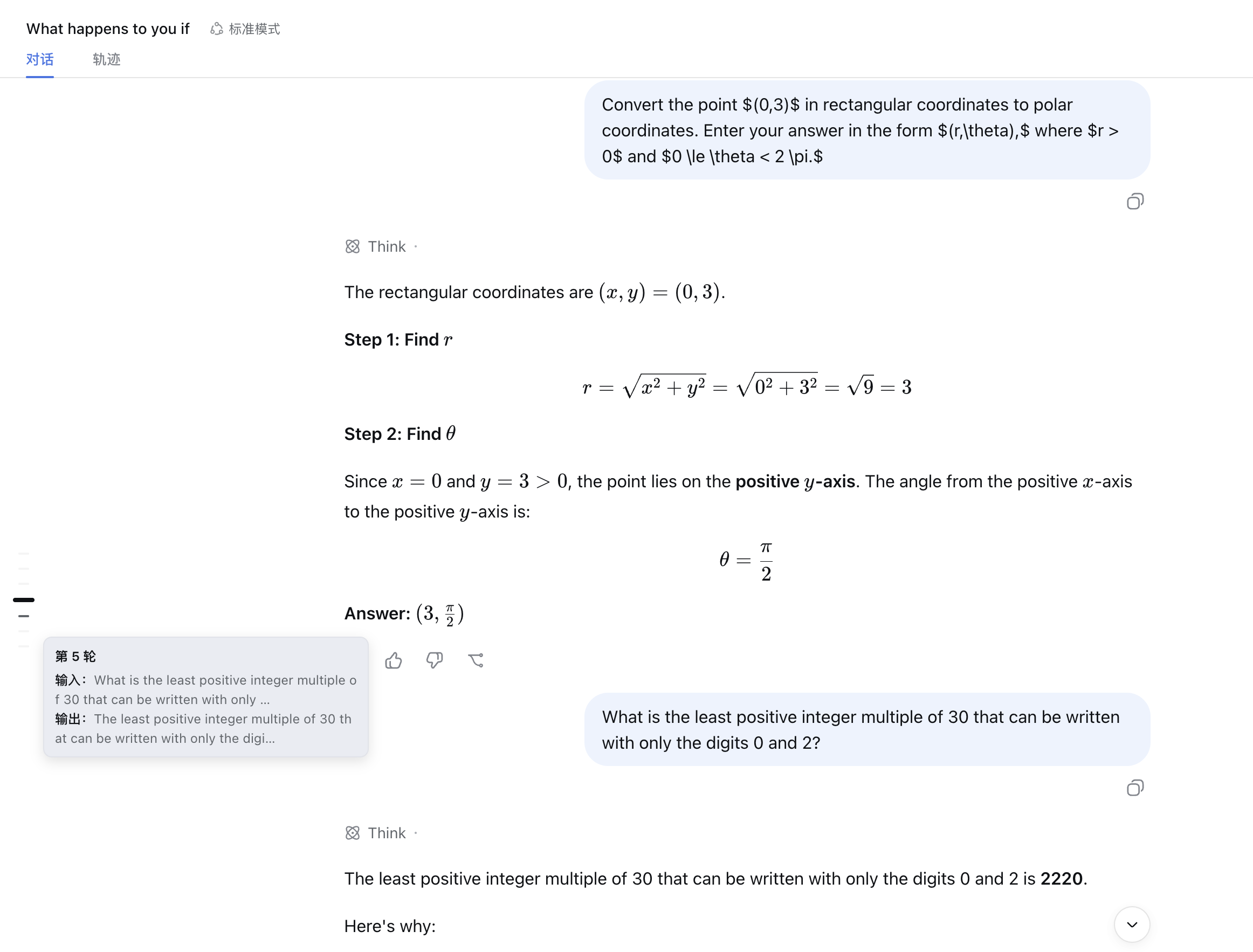
功能
- 每轮对话对应一根短横线,常驻聊天区域左侧;
- 当前视口所在轮次会以更亮、更粗、更长的横线突出显示;
- 悬停横线可查看该轮输入与输出摘要;
- 点击横线可立即跳转到对应轮次的输入位置;
- 仅在包含至少两轮对话的聊天视图中显示;
- 会随窗口、侧栏和对话内容变化自动调整位置。
安装
推荐从 npm 安装:
dsh plugin --profile web add @memory455/dsh-jump-rail
也可以直接从 GitHub 安装:
dsh plugin --profile web add https://github.com/Memory455/dsh-jump-rail
如果希望拉取源码后在本地构建并安装:
# 拉取源码
git clone https://github.com/Memory455/dsh-jump-rail.git
cd dsh-jump-rail

# 安装依赖并构建
pnpm install
pnpm build

# 链接到 DSH Web profile
dsh plugin --profile web add link:$PWD
安装完成后,重启 DSH Web 即可生效。
使用
打开一个包含至少两轮对话的聊天会话,轮次跳转条会自动出现在聊天区域左侧:
- 滚动对话时,当前轮次对应的横线会自动突出显示;
- 将鼠标悬停在横线上,可以预览该轮的输入与输出;
- 点击任意横线,可以快速返回对应轮次。
切换到轨迹等非聊天视图时,跳转条会自动隐藏。
开发与构建
# 安装依赖
pnpm install

# 类型检查、测试与构建
pnpm typecheck
pnpm test
pnpm build

# 监听源码变化
pnpm watch
本地构建后,可以将当前目录链接到 DSH Web profile:
dsh plugin --profile web add link:$PWD
完成链接后重启 DSH Web。