
 @ZYar-er
dsh-notify-bell
Semantic notification sounds for DeepSeek Harness: complete/approval/question/block/error via BEL or WAV, with Web UI bell toggle | DeepSeek Harness 语义化通知声音:完成/审批/提问/受阻/错误,经 BEL 或 WAV 播放,带 Web 铃铛开关
- Stars
- 1
- Language
- JavaScript
- Created
- Aug 15, 2026
- Updated
- Aug 16, 2026
Introduction
dsh-notify-bell


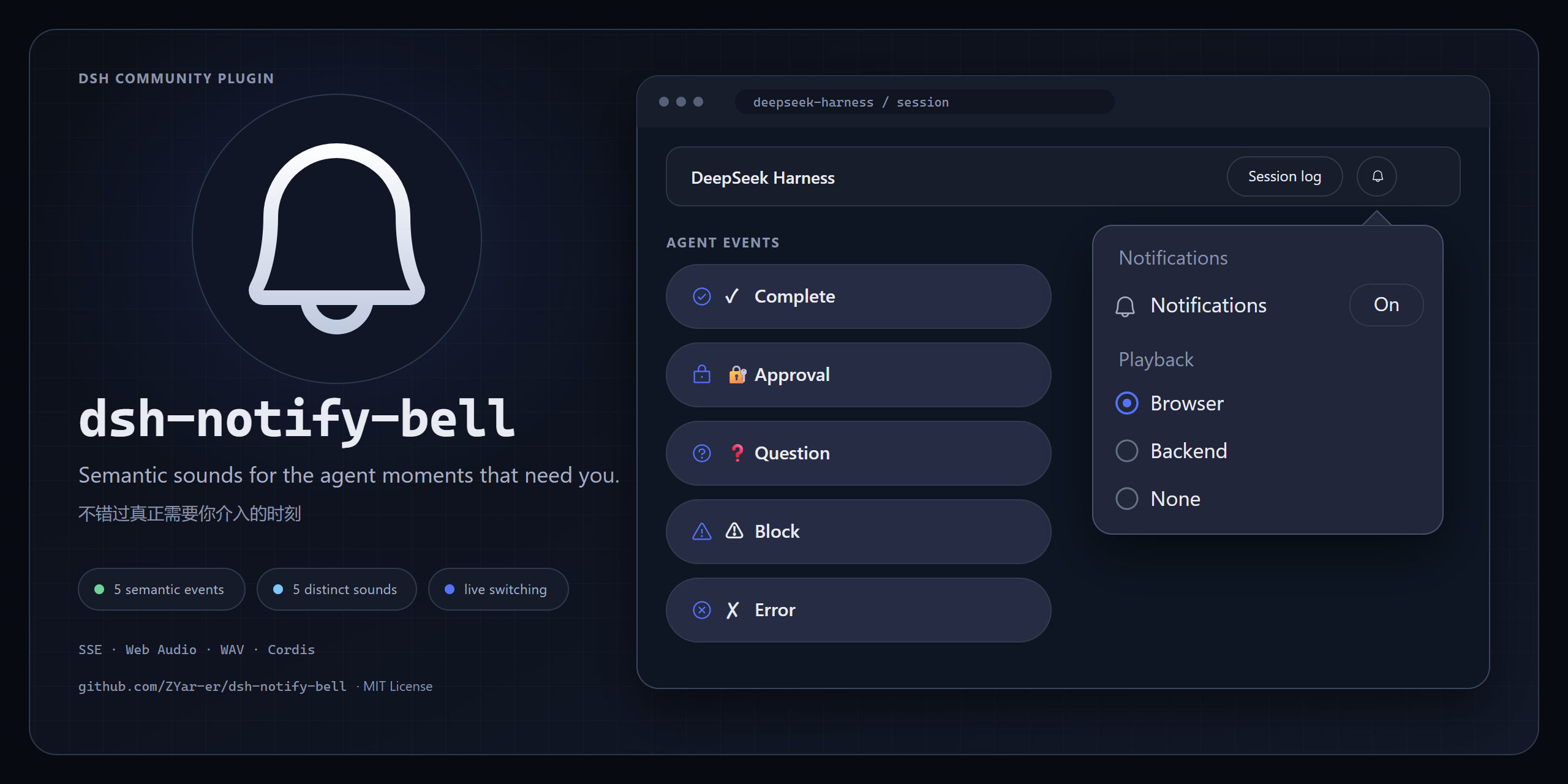
A community plugin for DeepSeek Harness (DSH) that provides semantic notification sounds for important agent events.
Developer Preview · v0.12.0
🎧 Listen to the notification sounds →
dsh-notify-bell lets you step away from the DSH Web UI without missing important agent events.
Instead of notifying on every internal event, it focuses on moments when the agent actually needs your attention:
- ✓ Complete — the agent finished its final answer
- 🔐 Approval — a tool operation needs your approval
- ❓ Question — the agent is waiting for an answer
- ⚠ Blocked — the goal cannot continue
- ✗ Error — the agent encountered an agent-level error
Each event has its own semantic sound rather than relying on repeated beeps to communicate meaning.
Features
- Semantic notifications for complete, approval, question, block, and error events
- Browser playback in DSH Web
- Host-side playback on Windows, WSL, and Linux
- One-click mute/unmute from the DSH Web UI
- Playback selector: Browser / Backend / None
- Light/dark theme support
- Phosphor
bell/bell-slashnotification button - WAV sound pack
- BEL fallback for backend playback
- Configurable notification sounds
- Configurable minimum duration for completion notifications
- Official DSH Cordis plugin format with schema validation
- No runtime dependencies beyond the official
@deepseek-ai/schemastery
Installation
Install from npm:
dsh plugin --profile web add dsh-notify-bell
After installation, restart dsh web if required by your current DSH setup.
From source / GitHub
From a checkout of this repository:
dsh plugin --profile web add ./dsh-notify-bell
For development versions or source testing, install straight from GitHub:
dsh plugin --profile web add github:zyar-er/dsh-notify-bell#<commit-sha>
Pinning a commit is recommended when installing directly from GitHub.
Quick Start
After starting DSH Web, a notification bell appears next to Session log:
Session log 🔔
Click the bell to open notification settings.

You can control:
-
Notifications — enable or disable all notification sounds
-
Playback — choose where sounds are played:
- Browser
- Backend
- None
Changes apply immediately and are persisted automatically.
Playback Modes
Browser
Recommended for DSH Web.
The backend classifies notification events and sends semantic sound events to the browser over SSE. The browser plays the bundled WAV files using Web Audio.
DSH backend
   ↓
SSE
   ↓
DSH Web
   ↓
Web Audio
   ↓
WAV
Browser playback requires normal user interaction with the page before the first sound because of browser autoplay policies.
Once unlocked, the DSH tab can remain in the background while you work in another tab.
Browser playback does not use the browser Notification API and does not require notification permissions.
Backend
Playback happens on the host instead of inside the browser.
On Windows and WSL:
PowerShell
  → System.Media.SoundPlayer
  → Windows Audio
On Linux, the plugin probes available players in this order:
paplay
pw-play
aplay
ffplay
If WAV playback is unavailable, backend playback can fall back to the terminal BEL when a TTY is available.
None
Notifications are logged but no sound is played.
Selecting a playback mode
The playback mode can be changed from the notification settings popover without restarting DSH.
Configuration:
{
  "playback": "browser"
}
Allowed values:
browser
backend
none
There is currently no automatic Browser → Backend fallback and no both mode. The selected mode is intentional: one notification is handled by one playback backend.
Notification Sounds
| Event | Sound | Source | Duration |
|---|---|---|---|
| ✓ Complete | ui/success_bling | react-sounds | 0.76s |
| 🔐 Approval | notification/notification | react-sounds | 0.86s |
| ❓ Question | notification/info | react-sounds | 0.86s |
| ⚠ Blocked | ui/blocked | react-sounds | 0.89s |
| ✗ Error | notification/error | react-sounds | 0.55s |
Each notification uses a distinct sound identity rather than counting repeated beeps.
Configuration
The plugin follows the official DSH Cordis configuration model and exports
a Schemastery Config schema: the config block of the plugin row in your
profile's cordis.patch.yml is validated and default-filled at load time,
and invalid values fail loudly.
Example (profile patch):
- id: notify-bell
  config:
    minDuration: 10
    playback: backend
The legacy runtime-state file is:
~/.config/dsh/notify-bell.json
Its path can be overridden with:
DSH_NOTIFY_BELL_CONFIG
The Web UI persists enabled and playback there. Example file:
{
  "enabled": true,
  "minDuration": 10,
  "objective": {
    "maxLength": 120
  },
  "events": {
    "complete": {
      "enabled": true,
      "sound": "done"
    },
    "block": {
      "enabled": true,
      "sound": "block"
    },
    "approval": {
      "enabled": true,
      "sound": "permission"
    },
    "question": {
      "enabled": true,
      "sound": "question"
    },
    "error": {
      "enabled": true,
      "sound": "error"
    }
  },
  "soundPack": "wav",
  "playback": "browser",
  "wav": {
    "directory": "~/.config/dsh/notify-bell/sounds",
    "fallback": "bell"
  },
  "bell": {
    "gapMs": 150,
    "permissionGapMs": 300
  }
}
Completion threshold
Tasks shorter than minDuration do not play the completion sound.
Approval and question notifications are immediate because they indicate that the agent is waiting for the user.
Runtime mute
enabled controls all notification playback.
When disabled:
- no browser sound is sent
- no backend sound is played
- DSH continues running normally
- other configuration is preserved
- no restart is required
Configuration sources
The plugin follows the official DSH Cordis configuration model.
Explicit plugin configuration takes precedence over the legacy runtime-state file:
cordis config > notify-bell.json > schema defaults
For normal users, the Web UI is the easiest way to change notification state and playback mode.
Event Behavior
Complete
A completion notification means that the agent has finished its final answer for the current turn.
The notification is based on:
session/event
type = turn/end
data.reason.kind = completed
The turn must contain a real final assistant text response. Empty no-op turns and tool-call-only concludesTurn endings do not trigger the completion sound.
Subagent turns are ignored.
Completion duration is measured from:
turn/start.time → turn/end.time
Requests shorter than minDuration are logged but do not play the completion sound.
Approval
Triggered by:
approval/asked
This means a tool operation is waiting for user approval.
approval/decided does not produce another notification.
Question
Triggered when the agent invokes:
ask_user_question
The notification indicates that the agent is waiting for a user response.
The response itself does not create another notification.
Blocked
Triggered by:
goal/changed
operation = block
Error
Triggered by:
agent/error
This represents an agent-level error. A normal shell command returning a non-zero exit code does not necessarily produce this event.
Platform Support
Windows / WSL
Browser playback is recommended when using DSH Web.
Backend playback uses:
PowerShell
  → System.Media.SoundPlayer
  → Windows Audio
Linux
Backend playback automatically probes:
paplay
pw-play
aplay
ffplay
No additional player is installed automatically.
Developer Documentation
The following sections are primarily for contributors and plugin developers.
Official DSH Plugin Format
dsh-notify-bell follows the official DSH plugin format.
The package:
- exports a Schemastery
Configschema - uses the official Cordis plugin form
- declares its bundle patch through
dsh.bundle - provides the Web client through
dsh.client - uses
cordis.patch.ymlwithout requiring manual profile patch editing
The official DSH plugin documentation is available at:
https://deepseek-harness.github.io/deepseek-harness/develop/basic/
Architecture
DSH session events
        ↓
event classification
        ↓
semantic sound
        ↓
playback
   ┌────┼───────┐
   ↓    ↓       ↓
browser backend none
   ↓      ↓
 SSE    audio
   ↓      ├─ WAV
 Web      └─ BEL fallback
 Audio
The event layer is independent from the physical audio backend.
Semantic sounds are:
done
permission
question
block
error
Browser Backend
Browser mode uses:
session event
    ↓
server-side classification
    ↓
SSE: /notify-bell/events
    ↓
client.js
    ↓
Web Audio
    ↓
bundled WAV
The browser does not duplicate the event classification logic.
Backend Audio
Backend mode uses the existing platform audio abstraction:
Windows / WSL
→ PowerShell + SoundPlayer

Linux
→ paplay
→ pw-play
→ aplay
→ ffplay

failure
→ BEL fallback
Web Client
The Web client is loaded using the DSH client module system and registers the notification controls next to Session log.
The notification settings popover controls:
enabledplayback
Runtime state is persisted atomically to the legacy configuration file.
Testing
The project includes unit and session-layer integration tests.
Current test status:
All tests passing — 11 node:test cases (6 unit + 5 session-layer integration), with 179 assertion checks in the unit script.
Real-world verification has covered:
- task completion
- approval requests
- user questions
- Web UI mute/unmute
- Browser playback
- background-tab Browser playback
- WSL → Windows WAV playback
- backend playback
- playback mode switching
The error notification path is covered by automated tests; deliberately breaking credentials is not required for normal validation.
Developer Preview
DSH is still in Developer Preview, so upstream plugin and event APIs may change.
dsh-notify-bell is a community plugin and is not an official DeepSeek plugin.
Community testing is especially welcome for:
- Windows native
- WSL
- Linux audio playback
- Browser playback
- background-tab playback
- approval notifications
- question notifications
- sound loudness and long-term comfort
- configuration compatibility
- DSH upstream changes
When reporting an issue, please include:
- DSH version
- operating system/environment
- playback mode
- notification event
- expected behavior
- actual behavior
- reproduction steps
Credits
Sound assets are from react-sounds.
Icons use Phosphor Icons.
Built for DeepSeek Harness.
License
The dsh-notify-bell source code is licensed under the MIT License.
This repository also distributes third-party sound and icon assets. See NOTICE.md for their respective licenses and attribution.