
 @Zhiye-Tang
weibo-wallpaper-dsh-plugin
把微博博主的相册变成(DSH)Web 界面壁纸的宿主插件。每次打开 DSH 自动检查微博:同一天跳过,跨天/跨月增量下载,按月归档到本地 YYYY-MM 文件夹,首次启用自动回填今年1月到上个月的历史相册。即一个插件、一个你本人的微博 Cookie,就可同时跟踪多位博主(每人独立文件夹与状态) 三种显示模式 + 月份切换,控制条常驻页面底部。A DSH host plugin that syncs a Weibo blogger's album by month into local folders and shows them as the wallpaper behind the DSH web UI. Cookie is required and stay local.
- Stars
- 1
- Language
- JavaScript
- Created
- Sep 3, 2026
- Updated
- Sep 3, 2026
Introduction
weibo-wallpaper-dsh · 微博相册壁纸(DSH Web 界面)
把微博博主的相册/微博媒体变成 DeepSeek Harness(DSH)Web 界面壁纸的宿主插件。
- 每次打开 DSH 自动检查微博:同一天跳过,跨天/跨月增量下载,按月归档到本地
YYYY-MM文件夹 - 首次启用自动回填今年 1 月 ~ 上个月的历史相册(断点续传、已存在文件跳过)
- 支持多博主:一个插件、一个你本人的微博 Cookie,即可同时跟踪多位博主(每人独立文件夹与状态)
- 三种显示模式 + 月份切换 + 免手动刷新,控制条常驻页面底部
English: A DSH (DeepSeek Harness) host plugin that syncs a Weibo blogger's album/media by month into local
YYYY-MMfolders and shows them as the wallpaper behind the DSH web UI. Cookie is required and stays local. Still under active development — feedback welcome.
⭐ 如果这个项目对你有帮助,欢迎点个 Star —— 它是作者持续开发的动力。(完整英文版见文末
#english-documentation。)
效果预览
以下为离线界面示意(深色主题下渲染),实际观感以你的 DSH 主题与壁纸内容为准。
| 毛玻璃(glass) | 全透明(clear) | 全遮挡(solid) |
|---|---|---|
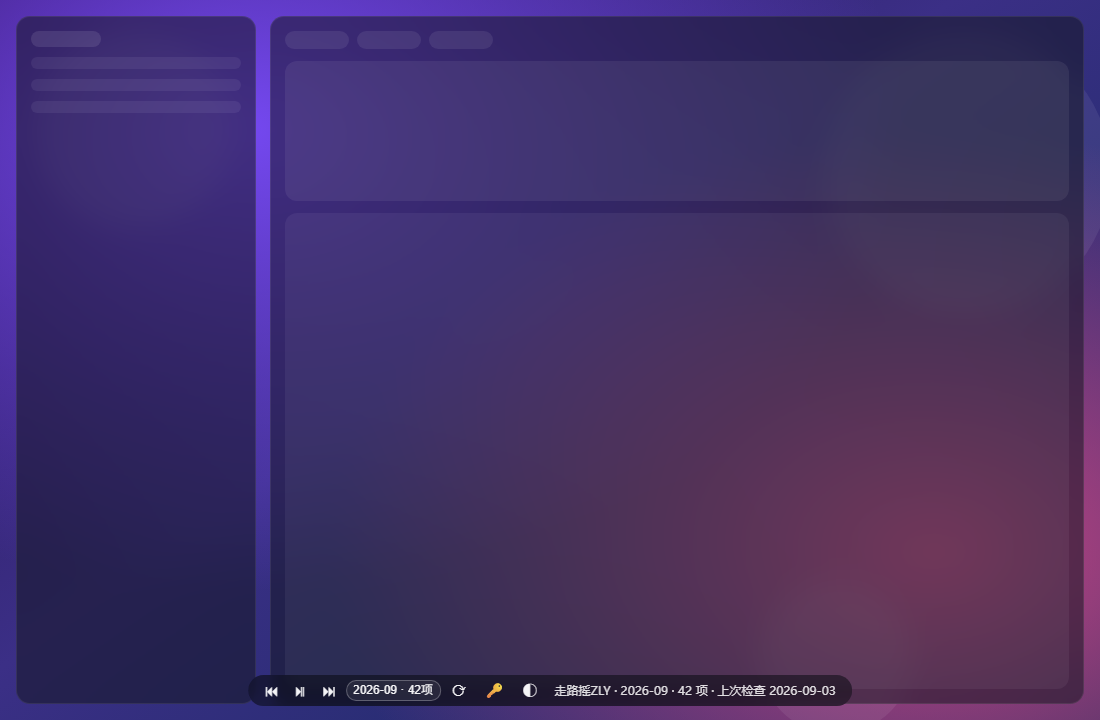 | 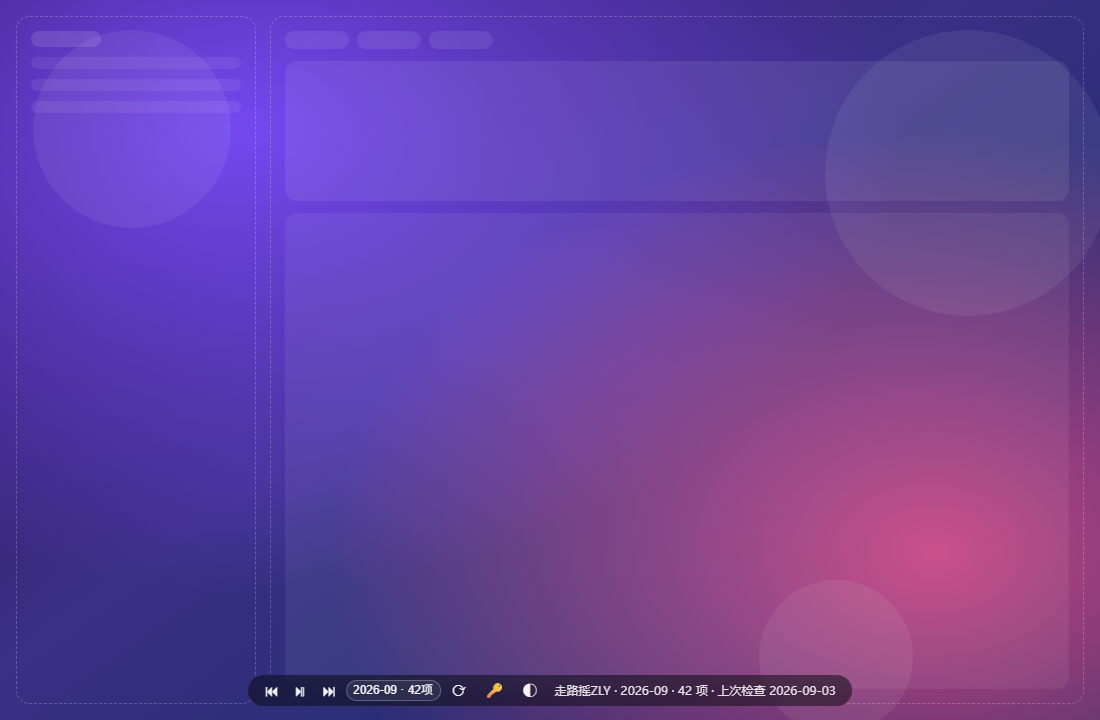 | 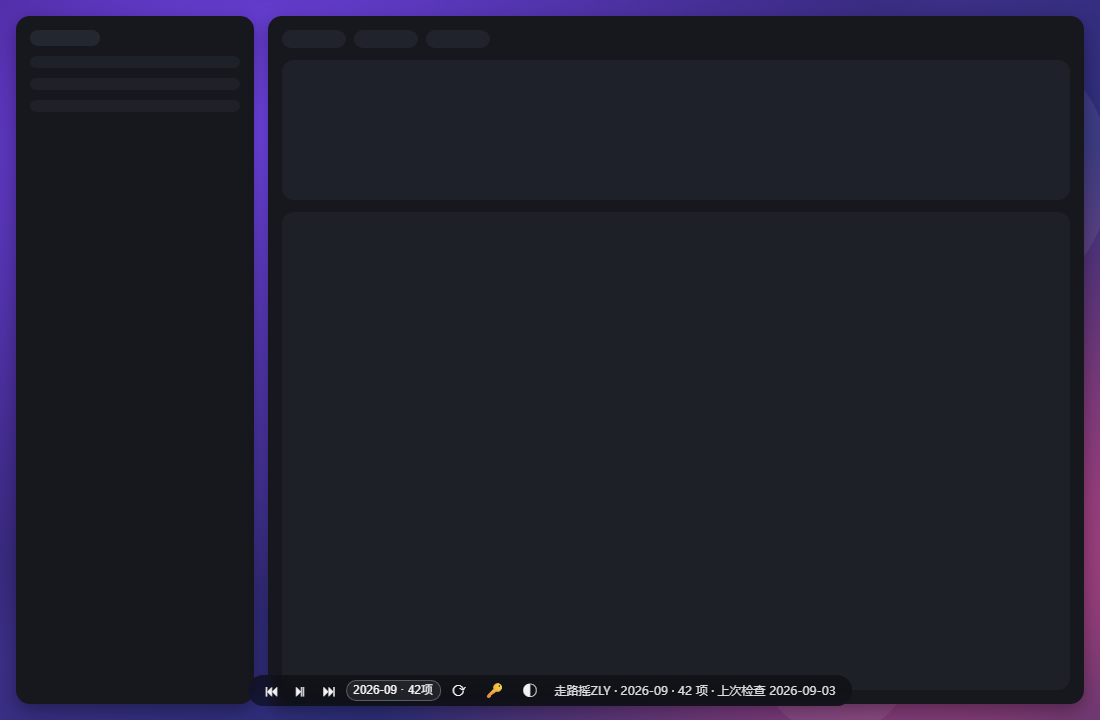 |
控制条按钮从左到右:上一张 ⏮ · 播放/暂停 ⏯ · 下一张 ⏭ · 切换博主(多博主时出现) · 切换月份 · 立即检查 ⟳ · 设置 Cookie 🔑 · 显示模式(点击循环切换)。三种模式图标与含义:
| 模式 | 图标 | 效果 |
|---|---|---|
| 全遮挡 solid | ● | 界面保持默认不透明,壁纸被完全遮挡(相当于关闭壁纸) |
| 半透明毛玻璃 glass | ◐ | 默认模式:界面变半透明 + 毛玻璃模糊,壁纸透出 |
| 全透明 clear | ◯ | 界面完全透明,壁纸直接铺满背景 |
📸 真实运行截图(TODO):上方为离线界面示意。壁纸在你的 DSH 上跑起来后,用系统截图工具(Snipping Tool / Win+Shift+S)截取真实页面,保存为
docs/screenshots/live-dark.png、live-light.png,并把上表换成真实截图(欢迎提交 PR)。docs/social-preview.png为 1280×640 社交预览图,可上传到 GitHub 仓库设置 → Social preview。
目录
- 功能特性
- 工作原理与数据布局
- 安装(给别人用)
- 配置 config.json
- 获取微博 Cookie
- 使用流程
- 注意事项
- 风险与免责
- 优势
- 常见问题 Troubleshooting
- 项目结构与开发
- 持续开发与反馈
- 开源协议
功能特性
- 随进程常驻,不依赖任何会话:插件注册在 DSH profile 层,打开 DSH 即运行;壁纸/控制条不再依赖某个 Agent 会话是否在线。
- 打开即显示、免刷新:宿主级引导补丁(
zly-wallpaper-boot)轮询引擎状态,页面一旦就绪自动挂载壁纸层;已打开的旧页面也能自愈出现壁纸。 - 按天幂等检查:同一天只检查一次微博;同月新内容增量入库,同名文件跳过;跨月自动新建
YYYY-MM文件夹。 - 每年历史回填:启动后自动把今年 1 月…上月按
YYYY-MM全部归档;断点续传(记录页码),一次没翻完,下次打开自动继续;已下载文件不会重复下载。 - 多博主:
config.json里可配置任意博主列表(uid + 名字),每位博主拥有独立子目录state.json与albums/;控制条下拉即可切换当前壁纸博主。 - 三模式显示(见上表)+ 任意月份切换;每次打开 DSH 自动展示最新有内容的月份。
- 媒体服务:引擎自建
/zly-wallpaper/*HTTP 路由,本地图片/视频直接由 DSH 进程伺服,视频自动静音循环/续播下一张。 - 隐私第一:代码不上传任何数据,只访问微博公开接口与你自己的本地目录;Cookie 只落本地磁盘(见风险)。
- 免第三方依赖:纯 Node 原生
fs/fetch实现,不引入任何 npm 运行时依赖。
工作原理与数据布局
DSH 基于 Cordis 组合。本插件以用户 profile 补丁层的两个插件行存在(cordis.patch.yml 的 - insert:),随 profile 启动即被 Cordis 挂载:
| 插件 | 作用 |
|---|---|
zly-wallpaper-engine | 引擎本体:同步/回填/多博主/HTTP 路由/向 index 注入壁纸层 |
zly-wallpaper-boot | 引导补丁:对每个页面注入 boot.js,免刷新自动挂载壁纸 |
数据布局(root 由 config.json 指定):
<root>/ui.json                            展示偏好(模式/间隔/当前博主/所选月份)
<root>/<uid>/state.json                   该博主抓取状态(含 Cookie,勿外传、勿入库)
<root>/<uid>/albums/<YYYY-MM>/...         该博主的按月媒体(文件名 = 日期_媒体ID.扩展名)
旧版(v2,单博主平铺为
<root>/state.json+<root>/albums)会在首次启动时自动迁移到<uid>/子目录,无需手动搬文件。
安装(给别人用)
前置条件
- 一个可用的 DSH 安装及其 Web GUI profile(常见名为
web),支持用户补丁层cordis.patch.yml - Node ≥ 18(DSH 内置运行时即满足;插件跑在 DSH 进程内)
- 一个微博账号(用于获取 Cookie,见下文)
步骤
-
定位你的 profile 目录
- Windows 一般:
%USERPROFILE%\.dsh\profiles\<profile名>\,例如C:\Users\<你>\.dsh\profiles\web\ - macOS/Linux 一般:
~/.dsh/profiles/<profile名>/ - 判断依据:该目录下应存在
cordis.patch.yml(或你将要创建它)与 profile 的package.json。
- Windows 一般:
-
复制插件目录:把本仓库
plugins/下的 两个目录(zly-wallpaper-engine/、zly-wallpaper-boot/,连同各自的package.json)原样复制到 profile 目录,与补丁文件同一层。 -
合并补丁行:把
install/cordis.patch.snippet.yml中的- insert:条目合并进 profile 的cordis.patch.yml(或$DSH_HOME/cordis.patch.yml,作用于本机所有 profile)。- 不要整体覆盖已有文件(里面可能已有你的其它补丁);
- 若文件为空/只有注释,直接改成包含
- insert:的数组(空文件会导致启动失败)。
-
生成配置:在
zly-wallpaper-engine/内把config.example.json复制为config.json并修改(见下一节)。 -
重启 DSH profile(不是只关标签页)。启动后浏览器打开 DSH 页面即可看到壁纸;若该标签页是重启前打开的,按一次 F5 装上引导脚本,之后无需再刷新。
⚠️ 为什么每个插件目录都要自带 package.json(含 name 与 version)? DSH 的插件清单会在每次模型请求时解析每个活动本地插件行;若最近的 package.json 只有
name没有version,会抛REQUEST_EXTENSION(报错形如 “DeepSeek request extension preparation failed”),导致所有模型请求失败。本仓库已配好,请勿删改。
配置 config.json
文件位置:<profile>/zly-wallpaper-engine/config.json。缺省行为:不提供该文件时,root 默认 ~/.dsh/weibo-wallpaper,博主默认走路摇ZLY。最小示例:
{
  "root": "D:/your/path/weibo-wallpaper-data",
  "blogs": [
    { "uid": "1909576453", "name": "走路摇ZLY" }
  ]
}
root: 本地保存根目录(建议放在仓库之外,避免误提交)。留空""用默认值。blogs: 要跟踪的博主数组。想加博主就把 uid 与名字加进数组,引擎会为每个 uid 单独建目录、单独检查与回填:
{
  "root": "D:/your/path/weibo-wallpaper-data",
  "blogs": [
    { "uid": "1909576453", "name": "走路摇ZLY" },
    { "uid": "5611884883", "name": "另一个博主" }
  ]
}
uid 即微博用户数字 ID(打开博主主页 URL weibo.com/u/<数字> 可得);name 仅用于界面显示(引擎也会尝试从微博资料接口读取真实昵称)。
Cookie 不属于本文件:它由页面 🔑 按钮写入,存在 <root>/<uid>/state.json。
获取微博 Cookie
本项目使用 m.weibo.cn 的移动端网页接口,需要你本人的登录 Cookie(用于通过接口风控;内容可见范围 = 你账号能看到的内容)。
- 用浏览器打开并登录
https://m.weibo.cn(必须是 m.weibo.cn,不是 www.weibo.com); - 按
F12打开开发者工具 →Network(网络)面板 → 刷新页面; - 任选一个
api/container或statuses请求 →Headers(请求头) → 找到Cookie:整段; - 复制整段 Cookie(通常以
SUB=开头、很长); - 在 DSH 页面控制条点 🔑,粘贴后回车;再点 ⟳ 立即验证。
- Cookie 保存在本机
<root>/<uid>/state.json,插件不上传;但它是你账号的登录凭据,不要贴进任何 Issue、截图或聊天记录。 - Cookie 会过期(通常数天~数周)。界面提示"需登录"或标签显示
432/登录态失效时,重复上述步骤更新即可(🔑 内留空提交 = 清除)。
使用流程
- 安装并重启后打开 DSH:壁纸立即显示当前(默认最新有内容)月份,控制条在页面底部。
- 首次使用:点 🔑 粘贴 Cookie → 点 ⟳。引擎会先同步当月,随后自动开始历史回填(今年 1 月~上月),标签区会显示"历史回填进行中(页 N)";期间可正常使用 DSH,回填按页增量写入,中途关掉也没关系(下次自动续传)。
- 日常使用:
- 同一天重复打开 DSH → 标签显示"上次检查 今天",跳过微博检查,秒开;
- 跨天/新微博发布 → 打开 DSH(或点 ⟳)增量下载新内容;
- 跨月 → 自动新建
YYYY-MM文件夹存入当月内容; - 控制条 ⏮/⏯/⏭ 控制播放;月份下拉随时回看任意已归档月份;博主下拉(多博主时出现)切换壁纸博主。
- 想立刻看到更新,点 ⟳;想换界面观感,点 ◐ 模式按钮循环 ● 全遮挡 / ◐ 毛玻璃 / ◯ 全透明。
注意事项
- 完整重启才生效:新增本地插件行/插件文件需要重启 DSH profile(进程级),热重载只适合改配置值。
- 同一天只检查一次:除非点 ⟳ 强制,否则当日第二次打开不会访问微博(这正是"按天幂等"设计)。
- 多博主 = 每人一份状态:🔑/⟳ 作用于当前选中的博主;多名博主需分别设置(通常用同一个 Cookie 各设一次即可)。
- Cookie 有效期:见上节;失效后接口返回
432或登录提示,插件会标记"需登录"并暂停回填,不会死循环请求。 - 历史回填时机:回填窗口为"今年 1 月…上月";到了 1 月自动无需回填。本月内容走日常增量,不需要回填。
- 接口行为可能随微博调整而失效:本项目依赖微博移动端公开 JSON 接口的现行为(分页字段、容器结构),微博改版后可能需适配——这正是需要社区反馈的地方(见持续开发)。
- 切勿提交个人数据:
.gitignore已忽略state.json/ui.json/albums/真实config.json;请确保运行目录在仓库之外或保持被忽略。
风险与免责
- 非官方接口风险:使用微博非官方 JSON 接口,无 SLA;微博可能随时限制(如
432风控)、改版或封禁接口。插件已内置节流(每页/每文件间隔 250–900ms)、失败跳过与断点续传来降低触发概率,但不能保证永不被限。 - Cookie 凭据风险:Cookie = 你账号的部分登录态。虽然只保存在本机、代码不外发,但任何保存在磁盘上的凭据都有泄露面;请只在自己的机器上使用,并定期在微博重新登录/退出使旧 Cookie 失效。本插件的作者与贡献者不对因 Cookie 泄露导致的账号问题负责。
- 流量与存储:首次历史回填会下载大量媒体(数月 × 每月几十项),且原图/原视频可能较大。建议首次回填时留意磁盘与带宽;下载是增量、去重的,重复运行不会重复下载。
- 内容版权:下载内容版权归原作者(博主)所有。本项目仅面向个人本地自用(把内容设为个人桌面/界面壁纸);请勿把下载的媒体文件二次发布、传播或商用。默认示例博主"走路摇ZLY"只是配置文件里的一个默认值,请换成你想跟踪的博主。
- 按原样提供:本项目按 MIT 协议提供,不提供任何明示或默示担保;使用后果自负。
优势
- 开箱即用:唯一必填的是你自己的 Cookie;插件层无 npm 依赖、无需构建。
- 零会话依赖:引擎挂在 profile(进程)层,不是某个 Agent 会话的附属品——这也解决了早期版本"必须开着指定会话才有壁纸"的痛点。
- 增量与去重:日期幂等 + 文件名去重,重复打开不产生冗余请求与文件。
- 断点续传式历史回填:关掉 DSH 也不丢进度。
- 多博主一体管理:一套插件、多份独立相册,切换即看。
- 界面即开关:模式、月份、播放全部在控制条上,不用改配置。
- 隐私架构清晰:网络只指向微博,数据只落本机;无遥测、无第三方服务。
常见问题 Troubleshooting
| 现象 | 处理 |
|---|---|
| 页面没有壁纸/控制条 | ① 确认已完整重启 profile;② 浏览器旧标签按一次 F5;③ 地址访问 http://127.0.0.1:3080/zly-wallpaper/state(端口以你的 DSH 为准),返回 JSON 且 ok:true 说明引擎在线 |
| 标签显示"需登录:点🔑粘贴Cookie后⟳" | Cookie 缺失/过期:重新获取并 🔑 设置,再 ⟳ |
标签显示 432 / 登录态失效 / api-err | 同上的风控或过期;稍后重试;若持续,可能是接口限流或微博改版,请开 Issue |
| 标签显示"历史回填进行中" | 正常,等待或下次打开自动续传;点 ⟳ 可推进 |
| 该月无内容 | 该博主当月确实没有新微博,或 Cookie 可见范围不足(如博主仅粉丝可见的内容) |
所有模型请求报 REQUEST_EXTENSION | 某个本地插件行缺少带 version 的 package.json——检查本插件的两个目录(以及你其它本地插件),确保 package.json 同时含 name+version |
| 想彻底关闭壁纸 | 从 cordis.patch.yml 移除两条 insert 行(或删除插件目录)并重启 |
项目结构与开发
weibo-wallpaper-dsh/
├─ plugins/
│  ├─ zly-wallpaper-engine/        # 引擎(宿主插件)
│  │  ├─ index.cjs                 # 全部逻辑(同步/回填/多博主/路由/注入)
│  │  ├─ package.json              # 必须保留(name+version,防 REQUEST_EXTENSION)
│  │  └─ config.example.json       # -> 复制为 config.json 后编辑
│  └─ zly-wallpaper-boot/          # 免刷新引导(宿主插件)
│     ├─ index.cjs
│     └─ package.json
├─ install/cordis.patch.snippet.yml# 安装补丁示例(合并进 profile 的 cordis.patch.yml)
├─ scripts/check.cjs               # 发布质量检查:语法/清单/敏感信息/个人数据
├─ test/smoke.cjs                  # 离线烟雾测试(假网络/假 ctx,28 项断言)
├─ docs/                           # 效果截图 / 社交预览图 / 发布文案草稿
└─ .github/                        # Issue(🐛/💡)与 PR 模板
开发/自检命令(需要 Node ≥ 18,均在仓库根目录执行):
node scripts/check.cjs   # 推送前静态自检(语法、package.json、无作者路径/Cookie 泄漏、无个人数据入库)
node test/smoke.cjs      # 离线烟雾测试:旧数据迁移、多博主抓取、路由、Cookie 落盘等 28 项断言
提示:冒烟测试会把引擎复制到仓库内
.smoke/(已被 .gitignore 忽略)并模拟全部网络响应,不会访问真实微博,可放心运行。
持续开发与反馈
本项目仍在持续开发中,功能与稳定性都会继续完善。我们非常欢迎你提出宝贵意见和建议:
- 🐛 遇到 Bug?→ 新建 Bug 报告
- 💡 有功能想法或改进意见?→ 新建功能建议(Issue 模板里已列了一些已知候选方向)
- 📦 想贡献代码?→ 先跑
node scripts/check.cjs与npm test,再提 PR(见 PR 模板)
已知候选方向(欢迎投票/补充):Cookie 到期自动提醒;按需只存图片或只存视频;单视频循环时长与清晰度选项;把同步结果推送到页面角标;打包为可 dsh plugin add 的 bundle 便于一键安装;多语言 README。
English Documentation
What is it
weibo-wallpaper-dsh turns a Weibo blogger's album/media into the wallpaper of the DSH (DeepSeek Harness) Web UI. It is a host-level Cordis plugin composed into your DSH profile:
- On every DSH start it checks Weibo: same day → skipped, new day / new month → incremental download into local
YYYY-MMfolders. - On first run it auto-backfills this year's Jan → last month albums (resumable pagination, existing files are skipped, so re-runs are cheap).
- Multiple bloggers: one plugin + one of your own Weibo cookies can track several bloggers at once (each has its own folder and state).
- Three display modes, month switching, and a self-healing loader — the wallpaper shows without a manual refresh, whether or not an agent session is open.
⭐ If you find this useful, please star the repo — it is the main fuel for continued development.
Install (for other users)
Prerequisites: a DSH installation with a Web GUI profile (commonly named web) that supports the user patch layer cordis.patch.yml; Node ≥ 18 (the DSH bundled runtime already satisfies this); a Weibo account for the cookie.
- Locate your profile directory — usually
%USERPROFILE%\.dsh\profiles\<profile>\on Windows or~/.dsh/profiles/<profile>/on macOS/Linux. It is the folder that holds (or will hold) the profile'scordis.patch.yml. - Copy both
plugins/folders (zly-wallpaper-engine/,zly-wallpaper-boot/, each with itspackage.json) into that profile directory, next to the patch file. - Merge the
- insert:entries frominstall/cordis.patch.snippet.ymlinto the profile'scordis.patch.yml(or into$DSH_HOME/cordis.patch.ymlto apply to every profile). Never overwrite an existing file wholesale — it may already contain your own patches. - Inside
zly-wallpaper-engine/, copyconfig.example.json→config.jsonand edit it (see below). - Restart the DSH profile (process-level restart, not just closing tabs), then open the DSH page. Tabs opened before the restart need one F5 to pick up the boot script; afterwards no refresh is ever needed.
⚠️ Why must each plugin folder ship its own
package.jsonwith bothnameandversion? DSH's plugin inventory resolves every active local plugin row against its nearest manifest on every model request; a manifest with anamebut noversionmakes every request fail withREQUEST_EXTENSION(“DeepSeek request extension preparation failed”). Keep the provided manifests intact.
Configuration (config.json)
File: <profile>/zly-wallpaper-engine/config.json. If absent, defaults apply: root → ~/.dsh/weibo-wallpaper, bloggers → 走路摇ZLY.
{
  "root": "D:/your/path/weibo-wallpaper-data",
  "blogs": [
    { "uid": "1909576453", "name": "走路摇ZLY" }
  ]
}
root: local data root (keep it outside the repository!). Empty string uses the default.blogs: list ofuid+name. Add another entry to track another blogger — each uid gets its own state andalbums/subfolder.uidis the numeric Weibo user id (fromweibo.com/u/<number>on the profile page). Cookies are not stored here; they are set from the UI and stored in<root>/<uid>/state.json.
Getting the Weibo Cookie
The plugin talks to the m.weibo.cn mobile JSON API, which needs a cookie from your own logged-in account (content reach = whatever your account can see).
- Open and sign in at
https://m.weibo.cn(must be m.weibo.cn, not www.weibo.com). - Press F12 → Network → reload → pick any
api/containerorstatusesrequest → copy the fullCookie:request header (usually starts withSUB=). - In the DSH page, click the 🔑 button in the control bar, paste the cookie, press Enter, then click ⟳ to verify.
- The cookie stays on your machine in
<root>/<uid>/state.json. Never paste it into issues, screenshots, or chats. - Cookies expire (typically days to weeks). When the label says "需登录" or shows
432/login-gate, repeat the steps. Submitting an empty value clears the cookie.
Usage
- After install + restart, the wallpaper shows the latest month with content; the control bar sits at the bottom of the page.
- First use: 🔑 paste cookie → ⟳. The current month syncs first, then the historical backfill (Jan → last month of this year) runs in the background page by page; closing DSH mid-way is fine (it resumes next start).
- Daily use: re-opening DSH the same day skips Weibo entirely; new content downloads on a later day or when you press ⟳; a new calendar month automatically creates a fresh
YYYY-MMfolder. - Control bar: ⏮/⏯/⏭ media controls · blogger dropdown (multi-blogger only) · month dropdown · ⟳ force check · 🔑 cookie · mode button cycling ● solid / ◐ glass / ◯ clear.
Notes & Caveats
- Restart required after install: new plugin rows/files need a process-level restart of the profile.
- Once per day: repeated opens on the same date skip Weibo (by design) unless you press ⟳.
- Per-blogger state: 🔑/⟳ apply to the currently selected blogger; set each blogger's cookie once (usually the same cookie).
- Weibo API may change: this relies on current mobile-web JSON behaviors; breaking changes by Weibo may require an update — exactly what the issue tracker is for.
- Never commit personal data:
state.json,ui.json,albums/and realconfig.jsonare git-ignored; keep the runtime root outside the repository.
Risks & Disclaimer
- Unofficial API: no SLA; Weibo may rate-limit (
432), change, or block endpoints. The plugin throttles requests (250–900 ms between pages/files), skips failures and resumes from checkpoints, but cannot guarantee immunity. - Cookie credential: the cookie is a slice of your login state. It is stored locally and never sent anywhere by this code, but any on-disk credential has an attack surface — use it only on your own machine and log out / rotate it periodically. The author is not responsible for account issues caused by cookie leaks.
- Traffic & storage: the first historical backfill downloads a lot of media (several months × dozens of items per month, original size). Downloads are incremental and deduplicated; re-runs do not re-download.
- Copyright: downloaded content belongs to its original authors. This project is for personal, local use only; do not re-distribute or publish the downloaded media. The default blogger entry is just a config default — use bloggers you actually want to follow.
- As-is: MIT licensed, no warranty of any kind.
Advantages
- Zero runtime npm dependencies; pure Node
fs/fetch. - Runs at the profile/process layer — wallpaper never depends on an open agent session.
- Day-idempotent checks + filename dedup → no redundant requests or files.
- Resumable historical backfill → close DSH any time.
- Multi-blogger in one plugin; UI-only switches for mode / month / blogger.
- No telemetry; network traffic goes only to Weibo, data stays on your machine.
Development
- Repo layout: see the Chinese section 项目结构与开发.
- Self-checks:
node scripts/check.cjs(static: syntax, manifests, no author paths / cookies / personal data) andnode test/smoke.cjs(offline 28-assertion smoke test with a stubbed network — safe to run).
Contributing
Under active development — all feedback is welcome. Bug reports and feature ideas via Issues (templates provided), code via PRs (run the checks above first). See the Chinese sections above for the known roadmap candidates.
License
MIT © 汤志烨. Downloaded media remains the property of its original authors; use it for personal, local purposes only.
开源协议
MIT © 汤志烨。下载的媒体内容版权归原作者所有,请仅作个人本地自用。