
mattismegevand
dsh-open
A Codex-style workspace Open menu for DeepSeek Harness Web
- Stars
- 0
- Language
- TypeScript
- Created
- Aug 16, 2026
- Updated
- Aug 16, 2026
Introduction
dsh-open
English | 中文
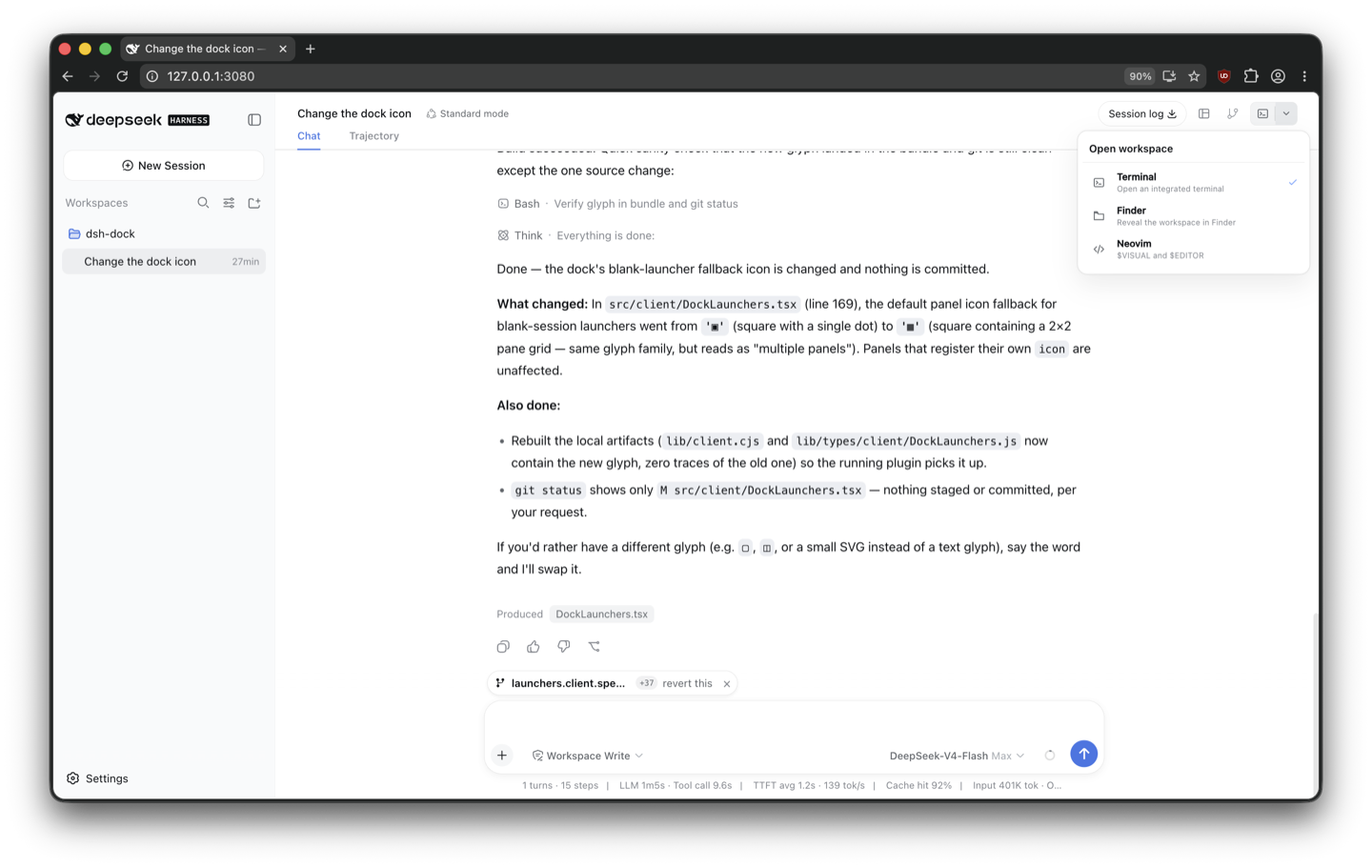
A standalone DeepSeek Harness Web plugin that adds a compact split Open action to each conversation header, listing dock panels, the platform file manager, and your editors.


What it does
- The main icon opens the last selected available target.
- The chevron lists registered dock panels, the platform file manager, and editors selected by
$VISUALand$EDITOR. - With one available target, the control collapses to one button.
- Internal tools use
ctx.dock.open(panelId)and appear only while their panel is registered. - Native actions are resolved on the Host. The browser sends only a session id and a closed action id; it cannot choose a filesystem path or executable.
- Same-origin checks, bounded request bodies, environment scrubbing, and a launch timeout protect native invocation.
Install
Requires dsh-dock, the dsh CLI (Node.js 22.19+ or 24), and pnpm 10+.
From npm
dsh plugin --profile web add @mattismegevand/dsh-open
From GitHub
dsh plugin --profile web add github:mattismegevand/dsh-open
Git installs fetch sources, so pnpm runs the package's prepare build on first add. pnpm ≥10 refuses that until you allow it: copy the exact package key pnpm printed into the profile's pnpm-workspace.yaml allowBuilds entry, then re-run the same add.
Develop locally
git clone https://github.com/mattismegevand/dsh-open.git
cd dsh-open
corepack pnpm install
corepack pnpm check:all
dsh plugin --profile web add .
The shipped patch inserts the Host row automatically.
Configuration
- id: open
  name: '@mattismegevand/dsh-open'
  config:
    preferredAction: visual
    terminalPanelId: terminal
    maxRequestBytes: 8192
    launchTimeoutMs: 10000
The configured action is the initial preference for a fresh browser profile. Menu selection updates a browser-local preference. $VISUAL and $EDITOR are resolved on PATH and deduplicated. The file-manager action uses Finder on macOS, File Explorer on Windows, and the system opener on Linux.
Related plugins
- dsh-dock — the docking system that registers the internal panel targets.
- dsh-terminal — VS Code-style Ghostty terminal panel.
- dsh-git — session-scoped working-tree Review panel.
Model experience
Workspace Open UI
What the model sees
Nothing. The plugin launches UI panels or native applications from a human-operated browser control and registers no prompt, tool schema, or model-visible message.
Token effect
Zero tokens are added to model requests or responses.
KV Cache effect
None. Selecting or launching an Open target does not alter the model input prefix.
Known limitations
- Native capability discovery runs when the client store loads and is not refreshed while that store remains mounted.
- Native launch failures are surfaced as concise errors; platform-specific recovery actions such as revealing Finder permission settings are not implemented.
- Internal targets depend on live dock registrations, and native targets remain local-host only.
License
MIT