
 @retmon2333
dsh-background
DeepSeek Harness(DSH)背景壁纸更换(单图 / 文件夹轮播)模式,可调透明、模糊、遮罩与樱花/雪花特效,侧栏与输入框也能透出壁纸
- Stars
- 0
- Language
- TypeScript
- Created
- Sep 4, 2026
- Updated
- Sep 4, 2026
Introduction
dsh-background




一句话价值:给 DeepSeek Harness Web 换上本机壁纸(单图 / 文件夹轮播),可调透明、模糊、遮罩与樱花/雪花特效,侧栏与输入框也能半透出壁纸。
DeepSeek Harness(DSH)Web 背景壁纸插件。标准 DSH bundle + client 插件,可通过 dsh plugin 安装/卸载。社区项目,非 DeepSeek 官方出品。
截图
设置页
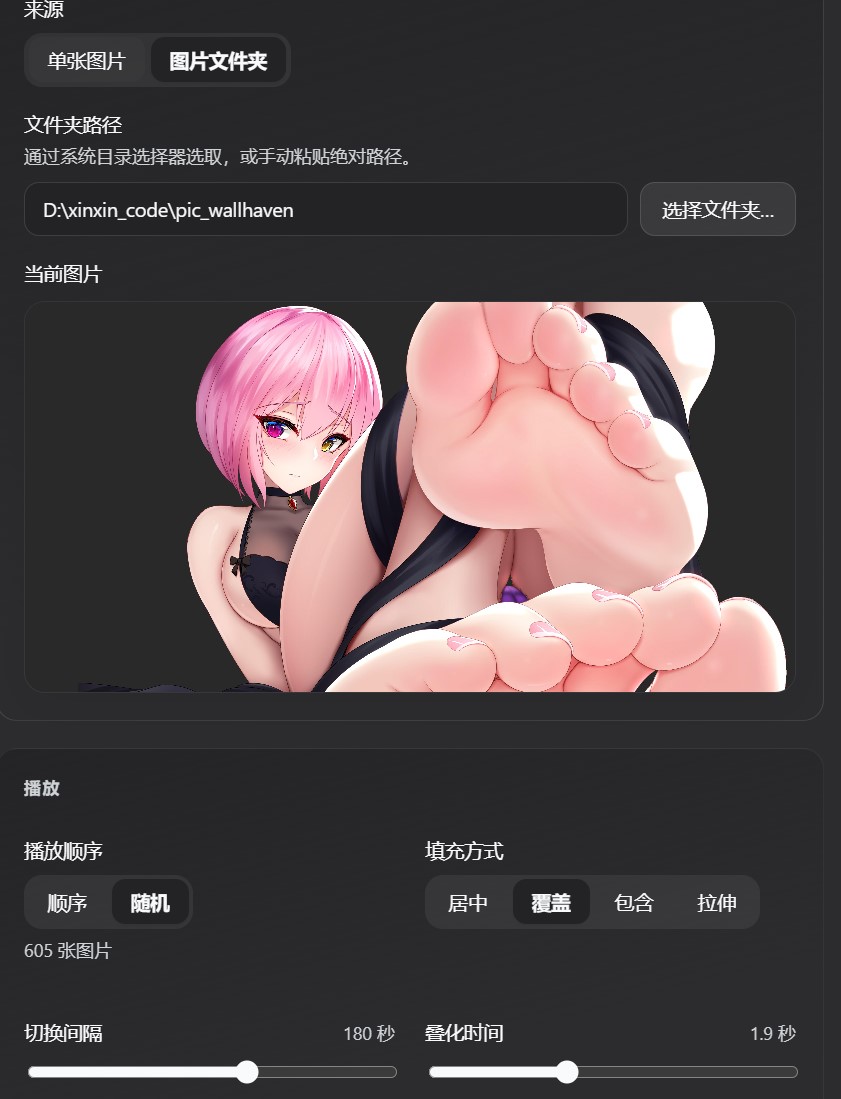
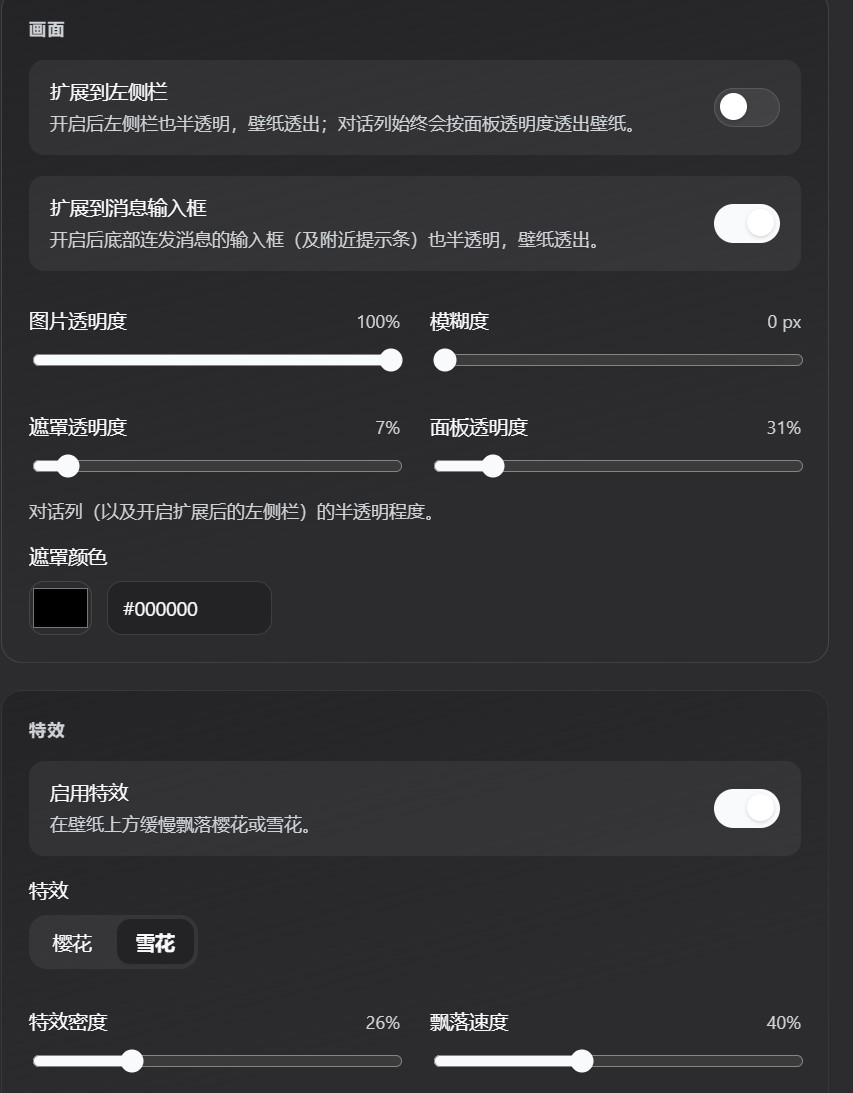
主界面
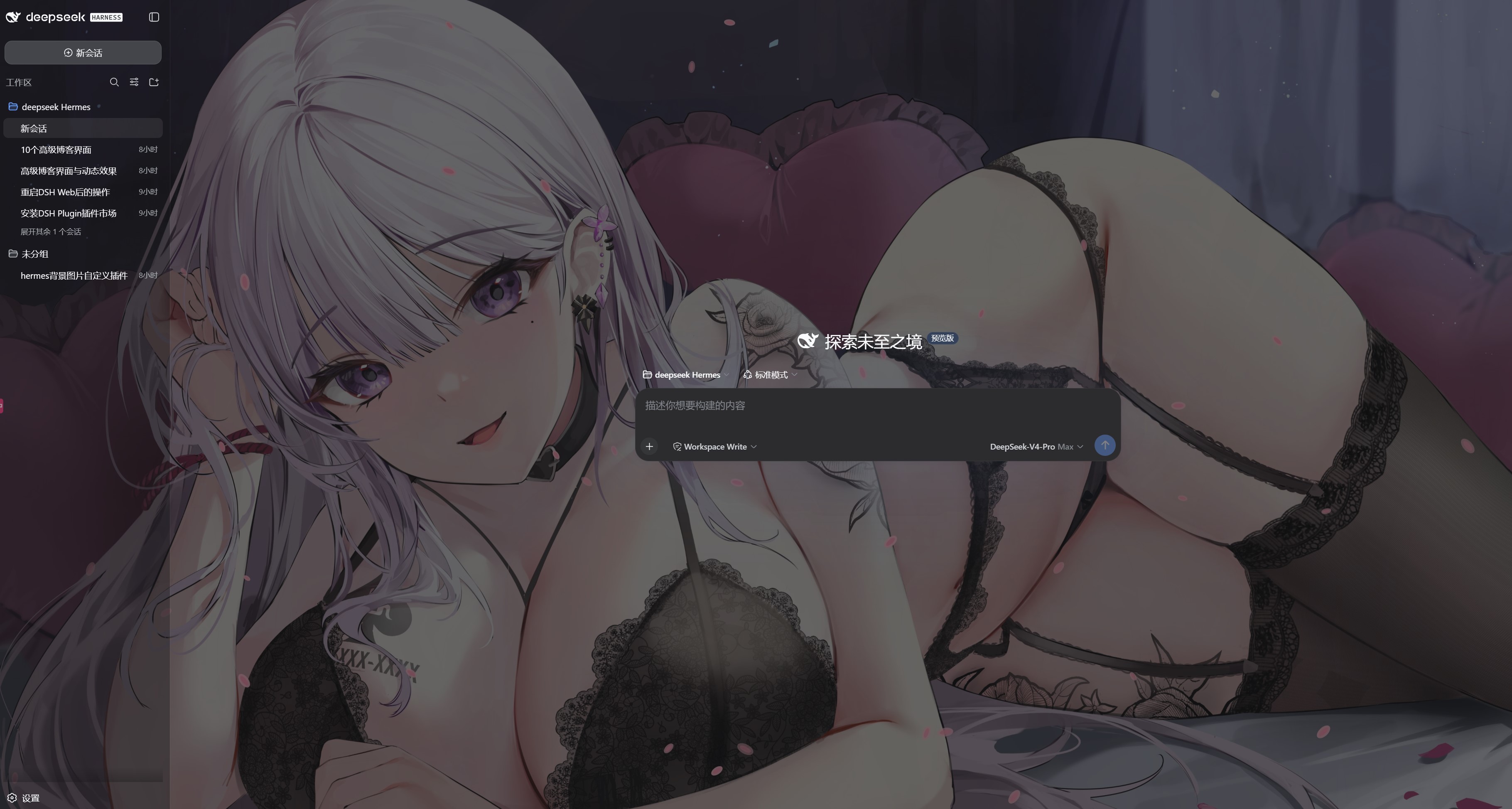
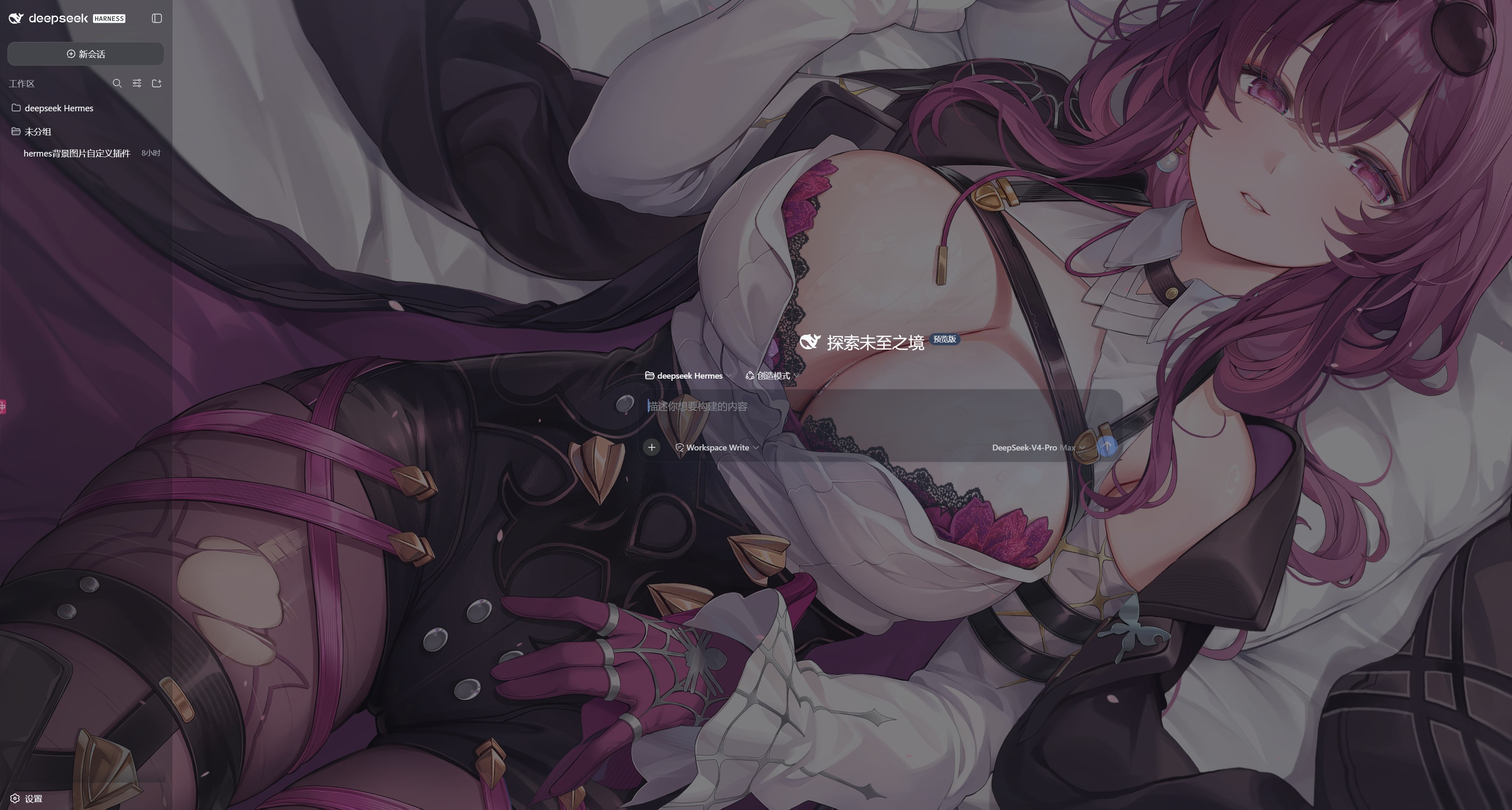 ---
---
特性
- 启用开关:关闭后还原默认 UI,设置项变灰
- 单张图片 / 文件夹轮播:本机路径;顺序或随机;间隔与叠化
- 画面调节:填充方式、透明度、模糊、遮罩颜色/透明度、面板透明度
- 扩展半透明:左侧栏、消息输入框(均默认开);对话列与轨迹等主区透出壁纸
- 特效:樱花/雪花飘落(密度、速度可调)
- 设置入口:设置 → 背景
目录结构
dsh-background/
├── package.json           # DSH bundle + client 元数据
├── cordis.patch.yml       # 插件挂载声明
├── README.md
├── LICENSE
├── 1.jpg … 4.jpg          # README 截图
├── assets/
│   └── default-wallpaper.jpg   # 默认单图(可替换)
├── lib/
│   ├── index.js           # Host:settings + 图片 HTTP
│   └── client.js          # Client:设置页 + 壁纸层 + 特效
└── src/                   # TypeScript 源码(开发用)
安装
Profile:web
装完后请完整重启 dsh web,再 F5 刷新浏览器,打开 设置 → 背景。用 github: 安装后,也可在 DSH 插件管理页更新。
方式 A:从 GitHub 安装(推荐)
dsh plugin --profile web add github:retmon2333/dsh-background
需要代理时:
$env:http_proxy="http://<ip>:<port>"; $env:https_proxy="http://<ip>:<port>"
dsh plugin --profile web add github:retmon2333/dsh-background
方式 B:本地 link 安装
在仓库根目录(有 package.json 的目录)先构建再安装:
pnpm install
pnpm build
dsh plugin --profile web add link:.
路径含空格时,建议先建无空格 junction:
New-Item -ItemType Directory -Force -Path "$env:USERPROFILE\.dsh\plugins" | Out-Null
cmd /c mklink /J "$env:USERPROFILE\.dsh\plugins\dsh-background" "D:\你的路径\dsh-background"
dsh plugin --profile web add "link:$env:USERPROFILE\.dsh\plugins\dsh-background"
方式 C:npm 包名(发布到 npm 后)
dsh plugin --profile web add dsh-background
给 AI 的安装说明(可直接复制)
请帮我安装 DSH 插件 dsh-background。

步骤:
1. 确保 pnpm 可用
2. 安装(任选):
   - GitHub:dsh plugin --profile web add github:retmon2333/dsh-background
   - 本地:在插件根目录 pnpm build 后执行 dsh plugin --profile web add link:.
3. 完整重启 dsh web,浏览器 F5
4. 打开 设置 → 背景 验证

自检:dsh --profile web --dump-config 应能看到 dsh-background
默认壁纸
可选替换:
<plugin>/assets/default-wallpaper.jpg
首次安装默认单图模式指向该路径。若本机 settings.yaml 里已有 dsh-background 段,以已保存配置为准。
卸载
dsh plugin --profile web remove dsh-background
然后重启 dsh web。
卸载不会删除用户配置。若要恢复出厂默认,编辑 %USERPROFILE%\.dsh\settings.yaml,删除其中的 dsh-background: 整段。
更新
# GitHub 安装的包
dsh plugin --profile web update dsh-background

# 或重新 add
dsh plugin --profile web remove dsh-background
dsh plugin --profile web add github:retmon2333/dsh-background
本地 link: 安装:改源码 → pnpm build → 重启 dsh web。
功能一览
| 能力 | 说明 |
|---|---|
| 启用开关 | 关闭后还原默认界面 |
| 单张图片 | 本机绝对路径,宿主 HTTP 读取 |
| 图片文件夹 | 系统选夹;顺序/随机;间隔与叠化 |
| 填充 | 居中/覆盖/包含/拉伸 |
| 画面 | 透明度、模糊、遮罩、面板透明度 |
| 扩展 | 侧栏、消息输入框半透明 |
| 特效 | 樱花/雪花(密度、速度) |
配置存放位置
| 项 | 路径 |
|---|---|
| 用户设置 | %USERPROFILE%\.dsh\settings.yaml(Linux/macOS:~/.dsh/settings.yaml) |
| 本插件分节 | 文件内 dsh-background: |
权限与兼容性
| 项 | 说明 |
|---|---|
| Profile | web |
| 本地文件 | 读取配置的图片/文件夹;可选系统文件/目录选择器 |
| 网络 | 壁纸不经第三方;仅本机 /dsh-background/... |
| 外部服务 | 无 |
| 导出 | Host:apply(ctx);Client:dsh.client 注入 |
验证
dsh --profile web --dump-config | Select-String -Pattern "background"
- dump-config 中可见
dsh-background - 重启并 F5 后出现 设置 → 背景
- 配置图片后主界面透出壁纸/特效
HTTP 路由自检(宿主启动后、http://127.0.0.1:3080):
# 单图模式:返回图片字节(未配置时 400 image-not-configured)
curl.exe -o NUL -w "%{http_code}`n" http://127.0.0.1:3080/dsh-background/file

# 文件夹模式:返回 JSON { folder, images[] }(未配置时 400)
curl.exe http://127.0.0.1:3080/dsh-background/folder/list
macOS/Linux 用
curl -o /dev/null -w "%{http_code}\n" ...。
常见问题
-
设置里没有「背景」:确认
add成功且 dump-config 有条目;必须完整重启dsh web,再 F5。 -
pnpm 报
allowBuilds/ignored build scripts:DSH 默认拦截 git 插件的prepare构建脚本。把报错里打印的包名(通常是本插件dsh-background)加进 profile 的pnpm-workspace.yaml:allowBuilds: - dsh-background文件位于
%USERPROFILE%\.dsh\profiles\web\pnpm-workspace.yaml(Linux/macOS:~/.dsh/profiles/web/pnpm-workspace.yaml),改完重新dsh plugin --profile web add github:retmon2333/dsh-background。 -
Windows 装失败报
ERR_PNPM_EPERM: symlink:多为系统符号链接权限问题。开启「开发者模式」(设置 → 隐私与安全 → 开发者选项),或以管理员身份运行终端;或改用无空格路径的link:本地安装。 -
改了代码不生效:
pnpm build后重启宿主(不要只刷页面)。 -
路径含空格装失败:用 junction 的无空格
link:。 -
重装后还是旧设置:删
settings.yaml里的dsh-background:段。 -
默认壁纸不显示:确认
assets/default-wallpaper.jpg存在,且未被用户配置覆盖。 -
GitHub 安装 404:仓库须公开,仓库名与
github:用户/仓库一致。
开发
pnpm install
pnpm build
pnpm watch